ESC
Type to start searching...
Applizor Softech Website Designing and Development

Custom Saas Cost: 7 Essential Factors for Startup Success

What Drives Custom SaaS Cost? Understanding the Fundamentals

For startups and growing businesses, a custom Software as a Service (SaaS) solution can be a game-changer, offering tailored functionality that off-the-shelf products simply can’t match. However, one of the first and most critical questions is always: What is the true custom SaaS cost?
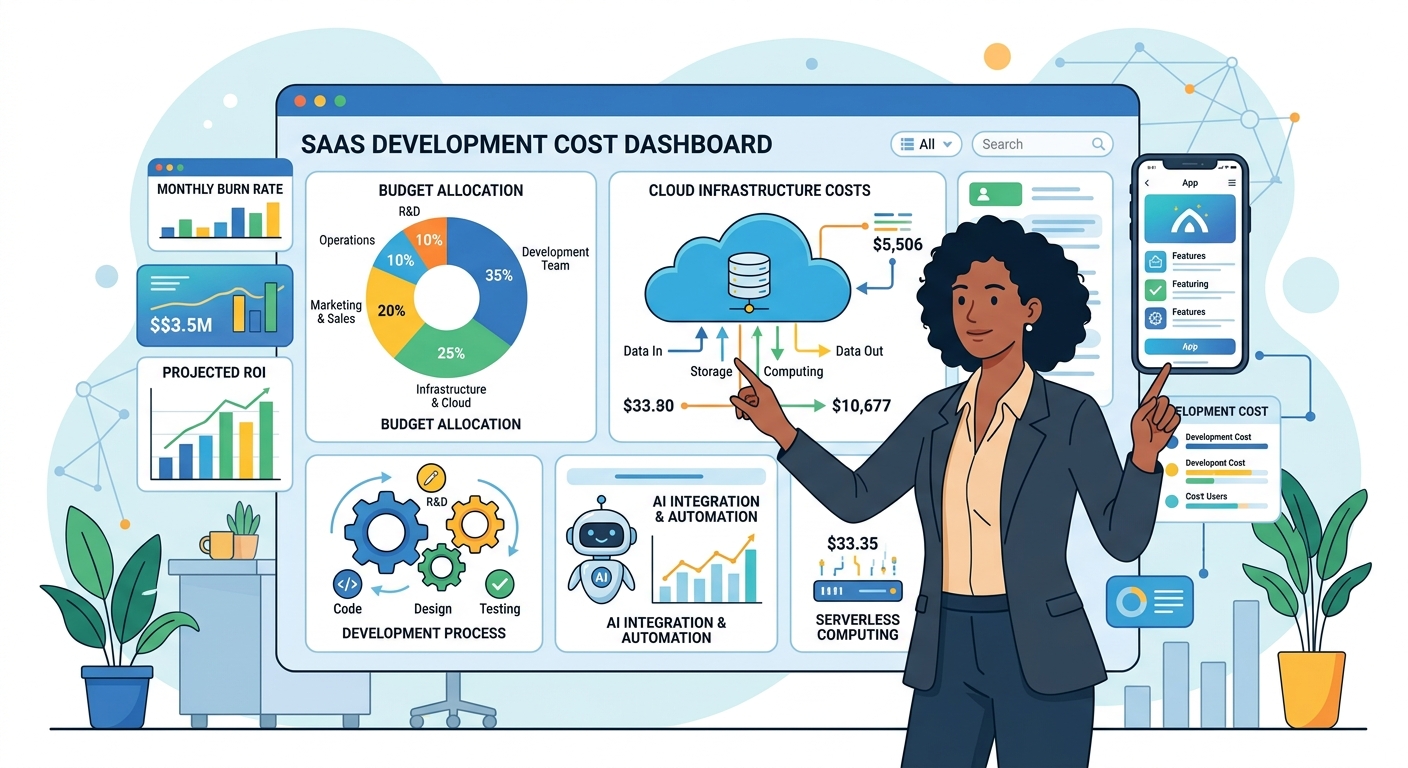
Illustration of a person analyzing a custom SaaS cost dashboard with various factors like development, cloud, AI, and design, representing strategic budgeting for startups.

Unlike purchasing a fixed product, custom SaaS development is an investment with a variable price tag. This variability stems from numerous factors, from the complexity of your vision to the team you choose to bring it to life. Understanding these drivers is crucial for effective budgeting, preventing unexpected expenses, and ensuring your custom SaaS project delivers maximum value.

This guide will break down the seven essential factors that influence the cost of building custom SaaS, offer actionable strategies for startups to manage their budget effectively, and emphasize the often-overlooked Total Cost of Ownership (TCO). We’ll also touch upon how integrating advanced technologies like AI and automation impacts these costs, and the unique advantages of partnering with development teams in regions like India.

7 Essential Factors Influencing Your Custom SaaS Cost

1. Feature Scope & Complexity: Prioritizing for an MVP

The number and intricacy of features are arguably the biggest drivers of custom SaaS cost. Every unique function, user role, integration, and data point adds development time and complexity. For startups, the key to managing this factor is a strategic approach to your Minimum Viable Product (MVP).

  • Basic Features: User authentication, core data storage, simple dashboards, and fundamental workflows form the bedrock of any SaaS.
  • Advanced Features: Real-time analytics, complex algorithms, multi-tenancy, custom reporting engines, advanced search, and sophisticated user permissions significantly increase development effort.
  • Actionable MVP Prioritization: To manage your initial custom SaaS cost, identify the absolute core problem your software solves. List all desired features, then categorize them into ‘Must-Have,’ ‘Should-Have,’ and ‘Nice-to-Have.’ For your MVP, focus relentlessly on the ‘Must-Have’ features that deliver immediate value and allow you to test your market hypothesis. Resist the urge to add non-essential features prematurely. This lean approach reduces initial investment and accelerates time to market.

2. UI/UX Design & User Experience

A beautiful and intuitive user interface (UI) coupled with a seamless user experience (UX) is vital for user adoption and retention. The investment here directly impacts how users interact with your product.

  • Basic Design: Standard templates, minimal custom graphics, and straightforward user flows are more economical.
  • Custom & Advanced Design: Bespoke branding, intricate animations, complex interactive elements, and extensive user research for optimized flows require more design and development hours. While more expensive upfront, a superior UI/UX can reduce support costs and increase user satisfaction in the long run.

3. Technology Stack & Architecture

The choice of programming languages, frameworks, databases, and architectural patterns profoundly influences development effort and scalability.

  • Backend: Languages like Python, Node.js, Java, or PHP (e.g., Laravel) with their respective frameworks.
  • Frontend: Frameworks like React, Angular, or Vue.js for dynamic web interfaces, or Flutter and React Native for cross-platform mobile apps.
  • Databases: SQL (PostgreSQL, MySQL) or NoSQL (MongoDB, DynamoDB) options.
  • Third-Party Integrations: Connecting with external APIs for payment gateways (e.g., Stripe), CRM systems, communication tools, or analytics platforms adds development time and potential licensing costs. Each integration requires careful planning, implementation, and testing.

4. AI & Automation Integration

The strategic incorporation of Artificial Intelligence (AI) and automation can differentiate your custom SaaS but also impact its development cost. Applizor Softech LLP specializes in these areas, offering solutions from AI agents to workflow automation.

  • Initial Cost Impact:
    • AI Agents & RAG Knowledge Bases: Developing intelligent agents or Retrieval-Augmented Generation (RAG) systems for customer support, data analysis, or content generation requires significant data preparation, model training, and integration effort.
    • n8n Workflow Automation: Implementing robust workflow automation using platforms like n8n can streamline complex business processes, but the initial setup and custom node development contribute to the cost.
    • Voice Bots: Building conversational AI interfaces involves natural language processing (NLP), speech-to-text, and robust dialogue management, adding layers of complexity.
  • Long-Term Impact: While initial investment in AI/automation can be higher, it often leads to substantial long-term savings by reducing manual labor, improving efficiency, and enhancing user experience. However, ongoing model maintenance, data governance, and potential API usage fees must be factored into the Total Cost of Ownership.

5. Team Structure & Location

Who builds your SaaS and where they are located significantly impacts the hourly rates and overall project duration.

  • In-house Team: High fixed costs (salaries, benefits, infrastructure) but maximum control.
  • Freelancers: Flexible, but quality and reliability can vary.
  • Development Agency: Offers structured processes, diverse expertise, and project management.
  • Leveraging Indian Expertise: Partnering with development companies in India, like Applizor Softech LLP, often provides a compelling balance of high-quality engineering talent and cost-effectiveness. The lower operational costs in India translate into more competitive hourly rates compared to Western markets, without compromising on technical proficiency or project delivery standards. This can be a significant advantage for startups looking to optimize their custom SaaS cost.

6. Cloud Infrastructure & DevOps

Your SaaS will live in the cloud, and setting up, managing, and scaling this environment is a critical cost factor.

  • Initial Setup: Configuring servers, databases, networking, and security on platforms like AWS or GCP.
  • DevOps Practices: Implementing Continuous Integration/Continuous Deployment (CI/CD) pipelines, containerization with Docker, and automated testing ensures efficient, reliable, and secure deployments. While an upfront investment, robust DevOps reduces long-term operational costs and risks.
  • Ongoing Hosting Costs: These are recurring expenses based on usage (compute, storage, bandwidth, managed services). Careful architecture design can optimize these costs.

7. Testing, Security & Compliance

Often underestimated, these elements are non-negotiable for a robust and trustworthy SaaS product.

  • Quality Assurance (QA): Thorough testing (unit, integration, system, user acceptance) is essential to catch bugs early, reducing costly fixes post-launch.
  • Security Measures: Implementing robust authentication, authorization, data encryption, regular security audits, and penetration testing protects your data and users.
  • Compliance: Depending on your industry and target market, adherence to regulations like GDPR, HIPAA, or PCI-DSS can add significant development and auditing costs, but is crucial for legal and ethical operation.

Beyond Upfront: Understanding the Total Cost of Ownership (TCO) for Custom SaaS

Focusing solely on the initial development price gives an incomplete picture. For a custom SaaS, the Total Cost of Ownership (TCO) is a more accurate measure of your investment over its entire lifecycle. TCO includes:

  • Maintenance & Support: Ongoing bug fixes, security patches, performance monitoring, and technical support are essential. Software isn’t a ‘set it and forget it’ solution; it requires continuous care.
  • Updates & Upgrades: As technology evolves and user needs change, your SaaS will require updates, feature enhancements, and potentially major version upgrades.
  • Infrastructure Costs: Recurring cloud hosting fees (AWS, GCP), database subscriptions, and third-party API usage fees. These scale with your user base and data volume.
  • Operational Costs: Expenses related to monitoring, backups, disaster recovery, and customer service.
  • Security & Compliance Audits: Regular checks to ensure continued adherence to security best practices and regulatory standards.

Ignoring TCO can lead to significant financial strain down the line, especially for startups with tight budgets. Always factor these ongoing expenses into your long-term financial planning.

Actionable Strategies for Managing Your Custom SaaS Cost as a Startup

While the factors above influence cost, startups have several levers to pull to optimize their investment:

  1. Start with a Lean MVP: As discussed, ruthlessly prioritize core features for your initial launch. Get to market faster, gather user feedback, and then iterate. This minimizes initial custom SaaS cost and reduces risk.
  2. Embrace Agile Development: Agile methodologies allow for flexibility, continuous feedback, and iterative development, helping you adapt to changes without major overhaspending.
  3. Leverage Open-Source & Existing Solutions: Where possible, use battle-tested open-source libraries, frameworks, or even integrate existing SaaS components instead of building everything from scratch. For workflow automation, tools like n8n can provide powerful capabilities without reinventing the wheel.
  4. Plan for Scalability from Day One: While you don’t need enterprise-level infrastructure for an MVP, designing with scalability in mind (e.g., microservices architecture, cloud-native services) will prevent costly re-architecting later.
  5. Partner Strategically: Choose a development partner with a proven track record in SaaS development and a clear understanding of startup needs. Companies like Applizor Softech LLP, with expertise in custom software, AI automation, and cloud/DevOps, can provide cost-effective solutions while maintaining high quality.
  6. Automate Internal Operations: Beyond your core product, consider how AI automation can reduce your own operational costs. For instance, automating customer support with AI agents or internal workflows with tools like n8n can free up resources. AI automation solutions for small businesses can significantly boost efficiency.
  7. Negotiate Cloud Provider Costs: As you scale, actively monitor and optimize your cloud infrastructure usage. Cloud providers often offer various pricing models and discounts.

Why Partnering with Applizor Softech LLP Makes Sense for Your Custom SaaS Journey

At Applizor Softech LLP, we understand the unique challenges and opportunities faced by startups and SMEs in building custom SaaS solutions. Our expertise spans the entire software development lifecycle, from initial concept to ongoing support.

We offer comprehensive services including custom ERP/CRM/SaaS development, robust API creation, and modern web and mobile app development using technologies like Flutter and React Native. Our deep specialization in AI automation, including AI agents, RAG knowledge bases, and n8n workflow automation, allows us to build intelligent, efficient, and future-proof SaaS platforms. Furthermore, our cloud and DevOps expertise ensures your custom SaaS is built on a scalable, secure, and cost-effective infrastructure on AWS and GCP, with practices like Docker and CI/CD.

By partnering with an experienced team like ours, you gain access to a blend of technical excellence, strategic guidance, and cost-efficiency, ensuring your custom SaaS project is not just built, but built for success.

Conclusion

The journey to building a successful custom SaaS product begins with a clear understanding of its cost drivers. By meticulously planning your feature set, prioritizing an MVP, making informed technology choices, embracing AI and automation strategically, and considering the Total Cost of Ownership, startups can navigate the complexities of SaaS development effectively.

Remember, a custom SaaS solution is an investment in your business’s future. By applying these essential factors and actionable strategies, you can build a powerful, scalable, and cost-efficient platform that drives innovation and growth.
Custom Saas Scalability: 7 Essential Best Practices for Future Growth

Introduction: Building for Tomorrow, Today

In today’s dynamic business landscape, custom Software as a Service (SaaS) offers unparalleled flexibility, tailoring solutions precisely to your operational needs. From custom ERP/CRM systems to specialized industry applications, custom SaaS empowers businesses to gain a competitive edge. However, the true value of a custom SaaS solution lies not just in its initial functionality, but in its ability to grow and adapt alongside your business. This is where custom SaaS scalability becomes paramount.

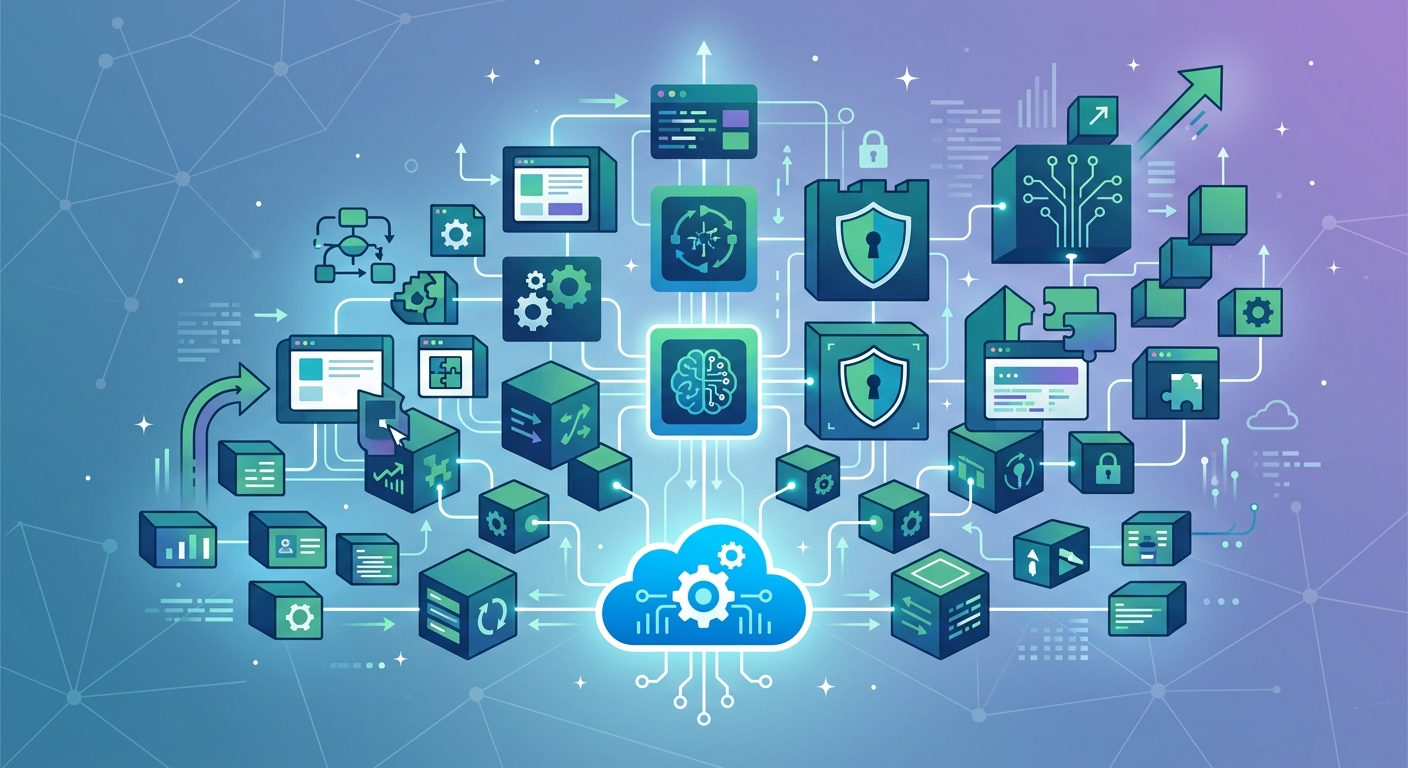
custom saas scalability - Vector illustration of a scalable custom SaaS architecture, showing modular components expanding from a cloud, with integrated AI automation, workflow orchestration, and security elements.

Scalability isn’t merely about handling more users or data; it’s about maintaining performance, managing costs, and enabling future innovation without rebuilding from scratch. For startup founders, SME owners, and even established IT leaders, ensuring your custom SaaS platform can scale cost-effectively and efficiently is a critical challenge. It involves more than just robust infrastructure; it demands strategic architectural choices, smart automation, and a proactive approach to security.

This article outlines seven essential best practices for achieving robust custom SaaS scalability, offering practical insights for businesses of all sizes to build platforms ready for future growth.

1. Adopt a Modular & Microservices Architecture

A monolithic application, where all components are tightly coupled, quickly becomes a bottleneck for scalability. A fundamental best practice for scalable SaaS architecture is to design your application using a modular or microservices approach.

  • Independent Scaling: Each service can be scaled independently based on its specific load requirements. For example, your custom ERP’s inventory management module might experience higher transaction volumes than its HR module and can be scaled up or down without affecting the entire system.
  • Faster Development & Deployment: Smaller, independent services are easier to develop, test, and deploy, accelerating your time to market for new features.
  • Technology Flexibility: Different services can use different technologies best suited for their specific tasks, preventing vendor lock-in and allowing for optimal performance.
  • Resilience: The failure of one microservice does not necessarily bring down the entire application, improving overall system resilience.

This architectural choice balances initial development speed with long-term adaptability, making it a cornerstone for any custom SaaS solution aiming for sustainable growth.

2. Leverage Cloud-Native Infrastructure & DevOps Automation

The cloud is the natural home for scalable SaaS. Utilizing cloud-native services and adopting strong DevOps practices are critical for efficient scaling.

  • Elasticity & Auto-Scaling: Platforms like AWS and GCP offer auto-scaling capabilities that automatically adjust computing resources (servers, databases) based on demand. This ensures your application can handle traffic spikes without manual intervention and scales down during low periods to save costs – a significant advantage for startups and SMEs.
  • Managed Services: Offload operational burdens like database management, queuing, and caching to cloud providers. This frees up your development team to focus on core product features.
  • Containerization with Docker: Packaging your application and its dependencies into Docker containers ensures consistent environments across development, testing, and production, simplifying deployment and scaling.
  • CI/CD Pipelines: Implementing Continuous Integration and Continuous Delivery (CI/CD) pipelines automates the build, test, and deployment processes. This reduces human error, speeds up releases, and ensures that your infrastructure can evolve as rapidly as your application.

Applizor specializes in AWS/GCP cloud deployments and robust CI/CD pipelines, ensuring your custom SaaS benefits from a resilient and cost-optimized infrastructure.

3. Implement Robust Data Management & Database Scalability

Your database is often the first component to buckle under heavy load. Effective data management strategies are vital for custom SaaS scalability:

  • Sharding & Partitioning: Distribute your data across multiple database instances or partitions. This reduces the load on a single database and allows you to scale specific data segments independently.
  • Read Replicas: Offload read-heavy operations to replica databases, allowing the primary database to focus on write operations.
  • Database Optimization: Regularly optimize queries, index tables appropriately, and choose the right database technology (SQL for relational data, NoSQL for flexible, high-volume data) for different parts of your application.
  • Caching: Implement caching mechanisms (e.g., Redis, Memcached) to store frequently accessed data in memory, reducing the need to hit the database for every request.

4. Design with an API-First Approach for Seamless Integration

Modern SaaS applications rarely exist in isolation. An API-first design philosophy ensures your custom SaaS can easily integrate with other internal systems, third-party services, and future applications.

  • Standardized Interfaces: Develop well-documented, RESTful APIs that provide clear, consistent ways for other applications to interact with your SaaS. This is crucial for expanding your ecosystem and offering new functionalities.
  • Loose Coupling: APIs promote loose coupling between services, allowing different components to evolve independently without breaking integrations.
  • Future-Proofing: A strong API layer enables you to expose functionalities to partners, build mobile apps (e.g., Flutter, React Native, or native mobile apps), or integrate with new AI services, significantly extending your platform’s reach and value over time.

Applizor’s expertise in custom API development ensures your SaaS platform is built for broad connectivity and future expansion.

5. Operational Scalability through AI Automation & Workflow Orchestration

Beyond technical infrastructure, operational scalability is crucial, especially for startups and SMEs looking to maximize efficiency with limited resources. This is where AI automation and workflow orchestration truly shine.

  • Automating Repetitive Tasks: AI agents can handle routine customer support queries, data entry, report generation, and other time-consuming tasks, freeing human staff for more strategic work.
  • n8n Workflow Automation: Tools like n8n allow you to build complex, multi-step workflows that connect various applications and services. Imagine automating lead qualification, onboarding processes, or even complex data synchronization between your custom ERP and marketing tools. This significantly reduces manual effort and potential errors as your business grows.
  • RAG Knowledge Bases & Voice Bots: Implement RAG (Retrieval Augmented Generation) knowledge bases to provide instant, accurate information to users or internal teams, scaling your support capabilities. Voice bots can handle initial customer interactions, further streamlining operations.

By automating operational workflows with AI and tools like n8n, businesses can scale their output without a proportional increase in headcount, making growth more cost-effective and sustainable. Applizor provides comprehensive AI automation software development services, including AI agents, n8n workflow automation, RAG knowledge bases, and voice bots, to help businesses achieve this operational leverage.

6. Prioritize Security as a Foundational Pillar

Scalability without robust security is a liability. Security must be an integral part of your custom SaaS architecture from day one, not an afterthought.

  • Data Encryption: Implement encryption for data at rest and in transit to protect sensitive information.
  • Access Control (IAM): Utilize Identity and Access Management (IAM) best practices to ensure users and services only have the minimum necessary permissions.
  • Regular Security Audits & Penetration Testing: Proactively identify and address vulnerabilities through continuous monitoring and scheduled security assessments.
  • Compliance: Design your architecture with relevant industry regulations (e.g., GDPR, HIPAA, local data protection laws in India) in mind to avoid costly penalties and build user trust.

A secure foundation ensures that as your custom SaaS scales, it remains trustworthy and compliant.

7. Embrace Continuous Monitoring, Performance Optimization & Iteration

Scalability is not a one-time achievement but an ongoing process. Continuous monitoring and iterative optimization are essential for long-term custom SaaS scalability.

  • Observability Tools: Implement comprehensive logging, monitoring, and tracing tools to gain deep insights into your application’s performance, resource utilization, and potential bottlenecks.
  • Performance Testing: Regularly conduct load testing and stress testing to simulate high traffic scenarios and identify breaking points before they impact users.
  • A/B Testing & User Feedback: Continuously gather user feedback and use A/B testing to optimize features and user experience, which can also impact performance and resource usage.
  • Iterative Development: Adopt an agile methodology that allows for frequent updates and improvements. This ensures you can quickly respond to performance issues, optimize resource consumption, and adapt to evolving business requirements.

By adopting a culture of continuous improvement, your custom SaaS can evolve gracefully and efficiently, maintaining optimal performance as it scales.

Conclusion: Your Partner in Scalable Custom SaaS Development

Achieving robust custom SaaS scalability requires a holistic strategy, integrating smart architectural choices, leveraging cloud-native capabilities, embracing operational automation, and prioritizing security from the outset. For startups and SMEs, balancing initial development speed and cost with these long-term scalability considerations is key to sustainable growth.

At Applizor Softech LLP, we understand these challenges. Our expertise spans custom ERP/CRM/SaaS development, cloud and DevOps (AWS/GCP, Docker, CI/CD), and cutting-edge AI automation (AI agents, n8n workflow automation, RAG knowledge bases, voice bots). We partner with businesses to design and implement custom SaaS solutions that are not only powerful today but are meticulously engineered for future growth, efficiency, and cost-effectiveness.

Ready to build a custom SaaS platform that scales with your ambition? Explore our custom software development services or learn more about how AI automation can supercharge your operational scalability. Let’s build your future-ready SaaS together.

Ai Automation Roi: 7 Proven Steps to Quantify Business Value

Table of Contents

In today’s fast-evolving business landscape, Artificial Intelligence (AI) automation is no longer a futuristic concept but a strategic imperative. From streamlining repetitive tasks to empowering intelligent decision-making, AI offers transformative potential. However, for startup founders, SME owners, and IT leaders, the critical question remains: how do you measure the actual return on investment (ROI) from these advanced technologies?

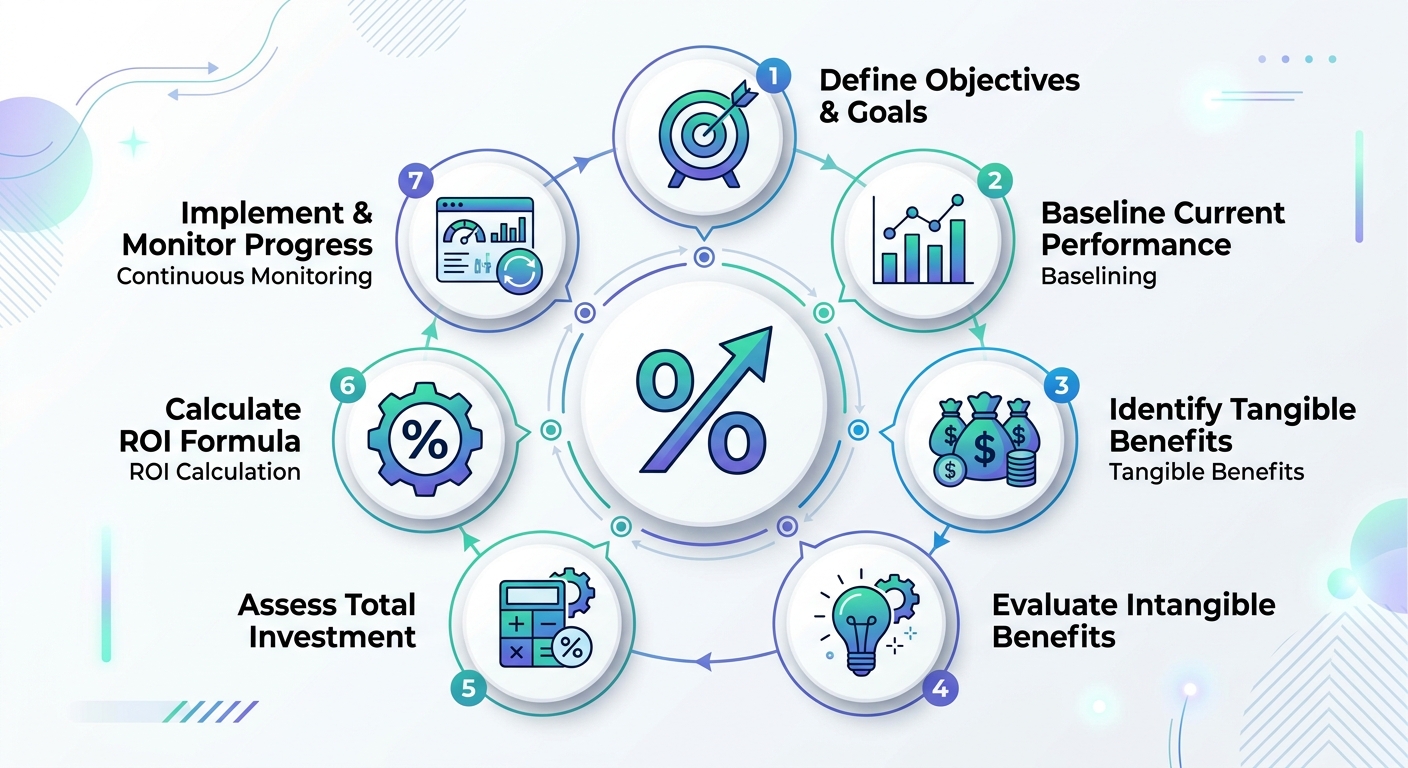
An infographic illustrating the 7 proven steps to calculate AI automation ROI, including defining objectives, baselining costs, identifying benefits, assessing intangible values, calculating investment, computing ROI, and continuous monitoring.

Investing in AI automation, whether it’s a custom ERP system, n8n workflow, or specialized AI agents, requires a clear justification. This guide provides a practical, step-by-step framework to help you quantify the business value of AI automation, ensuring your investments are strategic and yield measurable results.

What is AI Automation ROI?

AI automation ROI (Return on Investment) is a metric that measures the financial benefits gained from an AI automation initiative relative to its costs. It helps businesses understand the profitability and efficiency improvements achieved by deploying AI-powered solutions. Unlike traditional software, AI automation often involves both direct cost savings and significant intangible benefits, making a comprehensive ROI calculation essential for true investment justification.

Why Quantifying AI Automation ROI is Crucial for SMEs and Startups

For small and medium-sized enterprises (SMEs) and startups, every investment decision carries significant weight. Limited budgets and resources mean that technology adoption must deliver clear, demonstrable value. Quantifying AI automation ROI provides:

  • Investment Justification: A clear business case for stakeholders, investors, and internal teams.
  • Strategic Prioritization: Helps identify which AI projects will deliver the most impact.
  • Risk Mitigation: Reduces the uncertainty associated with new technology adoption.
  • Performance Measurement: Establishes benchmarks to track success and optimize future initiatives.
  • Competitive Advantage: Enables smarter, data-driven decisions to outpace competitors.

This is especially true when considering custom AI automation solutions, which are tailored to your unique business processes and can offer a distinct edge.

The 7 Proven Steps to Quantify AI Automation ROI

Calculating your AI automation ROI doesn’t have to be a complex endeavor. By following these seven steps, you can build a robust case for your AI investments and track their success.

Step 1: Define Clear Objectives and Scope

Before you can measure success, you need to know what success looks like. Clearly define the specific business problem you aim to solve with AI automation. Use SMART (Specific, Measurable, Achievable, Relevant, Time-bound) goals.

  • Example Objective: "Automate customer support email responses for FAQs to reduce agent workload by 30% within 6 months."
  • Scope: Identify the specific processes, departments, or tasks that the AI automation will impact. Are you automating a part of your custom ERP workflow, a specific customer interaction via a voice bot, or data extraction using an AI agent?

Step 2: Baseline Current Costs and Performance

This is a critical pre-investment step. To demonstrate improvement, you need a clear understanding of your current state. Gather data on:

  • Labor Costs: How much time do employees spend on the tasks targeted for automation? Calculate their hourly cost (salary + benefits).
  • Error Rates: What is the frequency and cost of human errors in the current process?
  • Processing Time: How long does it take to complete the task manually?
  • Resource Consumption: Are there any other direct costs (e.g., software licenses, infrastructure, materials) associated with the current manual process?
  • Throughput: How many transactions or tasks are processed within a given period?

For instance, if you’re considering AI agents to process invoices, baseline the average time per invoice, the number of errors, and the associated labor cost.

Step 3: Identify and Quantify Tangible Benefits

Tangible benefits are direct, measurable financial gains. These often fall into three categories:

  1. Cost Savings:

    • Reduced Labor Costs: Calculate the reduction in FTEs (Full-Time Equivalents) or reallocation of employee time to higher-value tasks. (e.g., 20 hours/week saved * $25/hour = $500/week).
    • Lower Operational Costs: Savings from reduced errors, less rework, or optimized resource usage.
    • Infrastructure Savings: If automation reduces reliance on legacy systems or physical resources.
  2. Revenue Generation:

    • Increased Sales: Automation of sales processes (e.g., lead nurturing via AI-powered CRM) can lead to higher conversion rates.
    • New Business Opportunities: AI can uncover market insights or enable new service offerings.
  3. Efficiency Gains:

    • Faster Processing: Reduced cycle times for tasks (e.g., invoice processing, order fulfillment).
    • Increased Throughput: Ability to handle a higher volume of work without proportional cost increases.

Step 4: Assess Intangible Benefits and Assign Proxy Values

Many significant benefits of AI automation aren’t immediately reflected on a balance sheet but are crucial for long-term success. These include:

  • Improved Employee Satisfaction & Retention: Automating mundane tasks frees employees for more engaging, strategic work. Assign a proxy value by estimating the cost of employee turnover or the productivity gain from higher morale.

  • Enhanced Customer Experience: Faster service, personalized interactions (e.g., via RAG knowledge bases or voice bots), and 24/7 availability. Quantify by looking at improved customer retention rates, increased customer lifetime value (CLTV), or reduced customer service costs.

  • Better Data Insights & Decision Making: AI can process vast amounts of data to provide actionable insights. Assign a value by estimating the impact of better decisions on revenue, cost reduction, or risk mitigation.

  • Competitive Advantage: Being an early adopter or having superior operational efficiency can differentiate your business. This is harder to quantify but can be linked to market share growth or premium pricing.

  • Scalability and Agility: AI automation allows your operations to scale without linear increases in manual labor, making your business more adaptable to market changes. Consider the cost savings of avoiding hiring surges or the revenue potential from rapid market response.

Step 5: Calculate Total AI Automation Investment

Sum up all costs associated with your AI initiative. This includes both upfront and ongoing expenses:

  • Development & Implementation Costs: This includes custom software development (for ERP/CRM or specific AI agents), integration with existing systems, n8n workflow automation setup, and data preparation.
  • Software & Licensing: Any subscription fees for AI platforms, APIs, or tools.
  • Infrastructure: Costs for cloud services (AWS, GCP), servers, storage, and networking.
  • Training: Costs to train employees on new AI tools and processes.
  • Maintenance & Support: Ongoing costs for system upkeep, updates, and technical support.
  • Opportunity Costs: The value of alternatives you forgo by choosing this particular investment.
  • Data Costs: Costs associated with acquiring, cleaning, and preparing data for AI models.

Step 6: Compute the AI Automation ROI

Once you have your total benefits and total costs, you can calculate the ROI using the following formula:

AI Automation ROI = ((Total Tangible Benefits + Total Quantified Intangible Benefits) - Total Investment Costs) / Total Investment Costs * 100%

Additionally, consider:

  • Payback Period: How long will it take for the accumulated benefits to cover the initial investment?
  • Net Present Value (NPV): Useful for longer-term projects, NPV accounts for the time value of money.

Step 7: Monitor, Measure, and Optimize Continuously

ROI calculation isn’t a one-time event. AI systems are dynamic, and their performance can evolve. Implement a system to continuously track the KPIs you defined in Step 1 and the benefits identified in Steps 3 and 4.

  • Dashboards: Create dashboards to visualize key metrics (e.g., tasks processed, error rates, time saved, customer satisfaction scores).
  • Regular Reviews: Schedule periodic reviews to assess performance against initial objectives.
  • Iterative Optimization: Use insights from continuous monitoring to fine-tune your AI models, workflows, or processes for even greater efficiency and ROI.
  • Integrate with BI Tools: Connect your AI automation data with existing business intelligence (BI) tools for a holistic view of performance.

Real-World Applications of AI Automation for Business

At Applizor Softech LLP, we see these steps applied across various industries and business sizes. For instance:

  • Custom ERP/CRM Automation: Integrating AI into a custom ERP solution can automate supply chain management, financial reporting, or customer segmentation, leading to significant efficiency gains and better strategic planning.
  • N8n Workflow Automation: Using n8n to connect disparate systems and automate data flows can drastically reduce manual data entry and improve data accuracy across marketing, sales, and operations.
  • AI Agents for Specific Tasks: Deploying AI agents for tasks like document processing, customer inquiry routing, or lead qualification can free up human resources for more complex work.
  • RAG Knowledge Bases and Voice Bots: Implementing advanced conversational AI for customer support can reduce response times, improve first-contact resolution, and enhance overall customer satisfaction.

These are just a few examples of how AI automation solutions for small businesses and startups can drive measurable value.

FAQs About AI Automation ROI

How long does it take to see ROI from AI automation?

The payback period for AI automation varies significantly based on the complexity of the solution, the initial investment, and the specific processes being automated. Simple workflow automations (e.g., via n8n) might show ROI within months, while complex custom AI agents or ERP integrations could take 1-2 years. Continuous monitoring (Step 7) is key to tracking this.

What are common pitfalls in calculating AI ROI?

Common pitfalls include underestimating implementation costs, failing to account for ongoing maintenance and training, neglecting to quantify intangible benefits, using inaccurate baseline data, and not continuously tracking performance after deployment. Focusing solely on cost savings and ignoring revenue generation or customer experience improvements is another frequent error.

Can AI automation benefit small businesses with limited budgets?

Absolutely. AI automation is increasingly accessible and scalable for small businesses. Solutions like n8n for workflow automation or targeted AI agents for specific tasks can deliver significant ROI without requiring massive upfront investments. The key is to start with well-defined, high-impact problems and leverage partners who specialize in tailored, cost-effective solutions.

Ready to Unlock the Value of AI Automation?

Quantifying the ROI of AI automation is not just about numbers; it’s about making informed strategic decisions that propel your business forward. By following these 7 proven steps, you can confidently justify your AI investments and ensure they deliver tangible, measurable value.

Whether you’re exploring custom ERP/CRM development, advanced AI agents, n8n workflow automation, or intelligent voice bots, understanding your potential AI automation ROI is the first step towards a more efficient, innovative, and profitable future. Connect with Applizor Softech LLP to explore how tailored AI solutions can transform your business with a clear path to measurable returns.

Custom Software Development Costs: 7 Ultimate Factors for Smes

Understanding Custom Software Development Costs: The Core Challenge for SMEs

For startup founders, SME owners, and IT leaders, the question of custom software development costs often feels like searching for a moving target. Unlike off-the-shelf solutions with clear price tags, bespoke software is tailored to your unique business processes, making a precise upfront estimate complex. Yet, understanding the underlying factors that drive these costs is crucial for effective budgeting, strategic planning, and ultimately, achieving a strong return on investment.

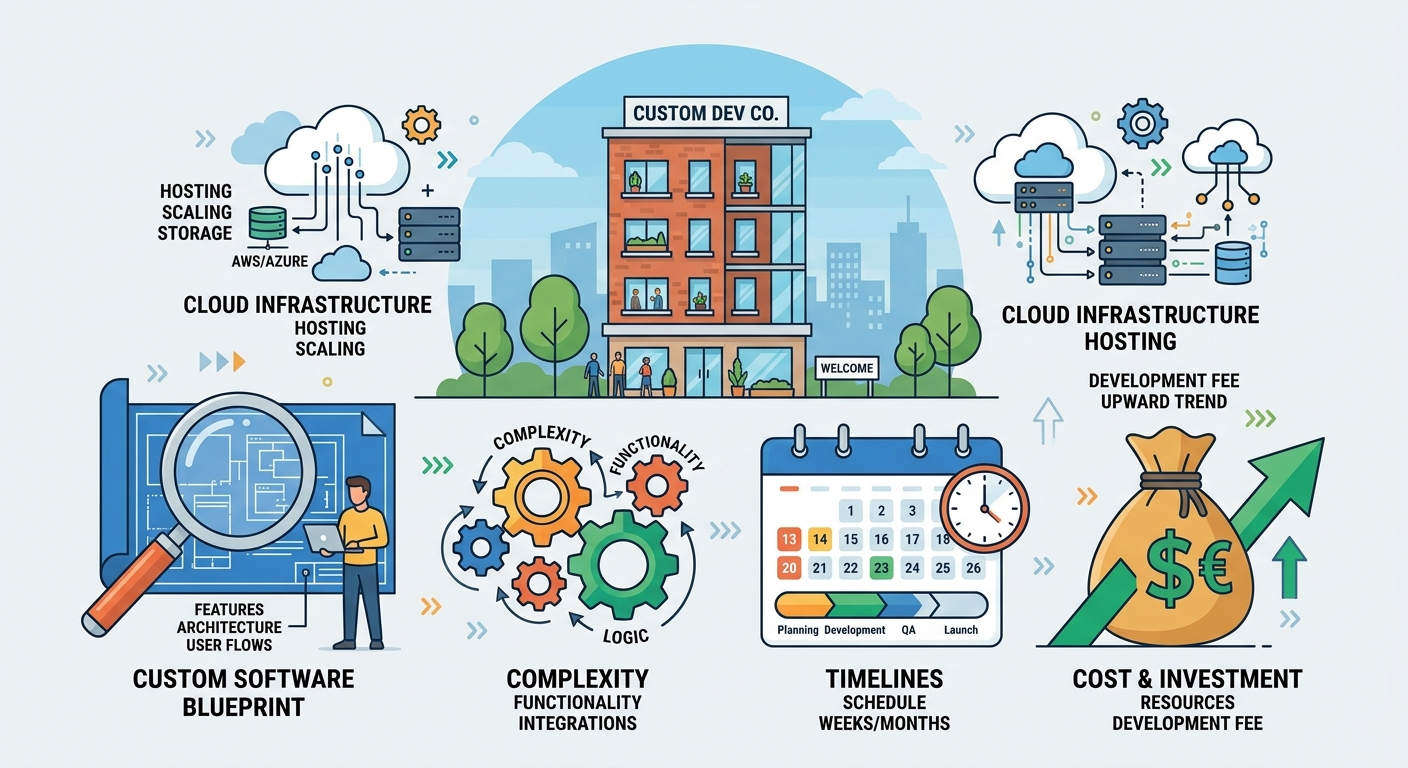
Illustration of key factors influencing custom software development costs for small and medium-sized enterprises.

This article breaks down the 7 ultimate factors that significantly influence how much your custom software project will cost. We’ll also delve into specific cost considerations for various software types relevant to small and medium-sized enterprises (SMEs), offer actionable strategies to optimize your budget, and explore the long-term financial perspective, including the value proposition of developing custom software in India.

Build vs. Buy: A Cost-Benefit Lens for Small Businesses

Before diving into the factors, many SMEs grapple with the fundamental choice: build custom software or buy an existing solution? While off-the-shelf software (SaaS) offers immediate availability and lower upfront costs, it often comes with limitations. You might pay for features you don’t need, struggle with integrations, or find your unique workflows don’t fit the rigid structure.

Custom software, on the other hand, is built precisely for your needs. It promises perfect alignment with your operations, scalability, and competitive advantage. However, it requires a higher initial investment and a longer development cycle. From a cost perspective, the ‘build vs. buy’ decision hinges on:

  • Upfront vs. Long-Term Costs: SaaS involves recurring subscriptions that accumulate over time. Custom software has a higher initial cost but eliminates ongoing subscription fees for the core system.
  • Customization Needs: If your business processes are highly specialized, the cost of customizing an off-the-shelf solution (or living with its limitations) might quickly outweigh the initial custom development investment.
  • Scalability and Future-Proofing: Custom software can be designed to scale with your growth and integrate new technologies without vendor lock-in, potentially saving significant costs in the long run.
  • Data Ownership and Security: Custom solutions often offer greater control over your data and security protocols, which can be invaluable for compliance and peace of mind.

7 Ultimate Factors Influencing Custom Software Development Costs

No two custom software projects are identical, and their costs reflect this uniqueness. Here are the primary factors that will shape your investment:

1. Project Scope and Complexity

This is arguably the most significant cost driver. The more features, functionalities, and intricate logic your software requires, the more time and resources it will consume. Consider:

  • Number of Features: Each distinct function (e.g., user login, reporting, payment processing, inventory tracking) adds to development effort.
  • User Roles and Permissions: A system with multiple user types (e.g., admin, manager, employee, customer) each with different access levels, is far more complex than a single-user application.
  • Third-Party Integrations: Connecting your custom software to external services like payment gateways, CRM systems, accounting software, or SMS/email APIs significantly increases complexity. Tools like n8n workflow automation can streamline these integrations, but the initial setup and testing still contribute to costs.
  • Data Migration: If you need to transfer existing data from old systems, this adds a layer of complexity and cost.

For instance, a simple internal tool for managing team tasks will cost considerably less than a comprehensive custom ERP system with multiple modules, real-time analytics, and integrations with supplier portals.

2. Technology Stack and Architecture

The choice of programming languages, frameworks, databases, and cloud infrastructure directly impacts development time and expertise required.

  • Frontend Technologies: Are you building a web app using React or Angular? A mobile app with React Native or Flutter for cross-platform reach, or native iOS/Android for specific performance needs?
  • Backend Technologies: The complexity of your server-side logic, API development, and database management (e.g., SQL, NoSQL) influences costs.
  • Cloud Infrastructure: Hosting on platforms like AWS or Google Cloud Platform (GCP) involves configuration, management, and ongoing costs. The more robust and scalable your infrastructure needs to be, the higher the setup and maintenance efforts.
  • Specialized Technologies: Incorporating advanced features like machine learning models, real-time data processing, or blockchain can require specialized skills, leading to higher rates.

3. Team Size and Expertise

The number of professionals involved and their experience levels directly correlate with costs. A typical development team includes:

  • Project Manager: Oversees the entire project, ensuring timelines and budget are met.
  • Business Analyst: Gathers and refines requirements.
  • UI/UX Designers: Create intuitive and engaging user interfaces.
  • Frontend Developers: Build the user-facing parts of the application.
  • Backend Developers: Develop server-side logic, databases, and APIs.
  • Quality Assurance (QA) Engineers: Test the software for bugs and performance issues.
  • DevOps Engineers: Manage infrastructure, deployment, and continuous integration/delivery (CI/CD).

Highly experienced developers command higher rates, but their efficiency and ability to foresee challenges can often lead to faster development and fewer costly revisions in the long run.

4. Development Methodology and Iterations

The chosen development approach impacts cost and timeline.

  • Agile vs. Waterfall: Agile methodologies, with their iterative cycles and continuous feedback, can be more flexible and allow for course correction, potentially reducing the risk of building the wrong features. Waterfall is more rigid but can be suitable for projects with extremely well-defined, unchanging requirements.
  • Minimum Viable Product (MVP): Starting with an MVP—a version of your software with just enough features to be usable by early customers—is an excellent strategy for SMEs. It allows you to test market viability, gather feedback, and secure further funding with a lower initial investment, reducing overall custom software development costs.
  • Phased Development: Breaking a large project into smaller, manageable phases allows for better budget control and continuous delivery of value.

5. UI/UX Design and Branding

A well-designed user interface (UI) and user experience (UX) are critical for user adoption and satisfaction. The effort involved varies:

  • Custom Design: A completely bespoke design tailored to your brand identity and user needs will cost more than using pre-built templates or standard UI components.
  • Complexity of User Flows: Applications with intricate user journeys, multiple dashboards, and complex data visualizations require more extensive design work.
  • Interactive Elements: Animations, custom graphics, and highly interactive components add to design and development time.

6. Testing, Quality Assurance, and Security

Robust testing and security measures are non-negotiable for reliable software, and they come with a cost.

  • Types of Testing: Unit testing, integration testing, system testing, user acceptance testing (UAT), and performance testing all require dedicated effort.
  • Automation: Automated testing frameworks can save time in the long run but require initial setup investment.
  • Security Audits: For applications handling sensitive data (e.g., financial, medical), security audits and penetration testing are crucial for compliance and protecting your business and users.
  • Compliance Requirements: Adhering to industry-specific regulations (e.g., GDPR, HIPAA, local Indian laws) adds significant development and testing overhead.

7. Post-Launch Support, Maintenance, and Hosting

The initial development cost is just one part of the equation. Long-term ownership involves ongoing expenses:

  • Bug Fixes and Updates: Software requires continuous maintenance to fix bugs, adapt to new operating systems or browser versions, and patch security vulnerabilities.
  • Feature Enhancements: As your business evolves, you’ll likely want to add new features or improve existing ones.
  • Hosting and Infrastructure: Ongoing costs for cloud hosting (AWS, GCP), server management, and database services.
  • DevOps and Monitoring: Continuous integration, continuous deployment (CI/CD) pipelines, and system monitoring ensure your application remains stable and performs optimally.

Custom Software Development Costs by Type: What SMEs Can Expect

To provide a more concrete perspective, let’s look at cost considerations for specific types of custom software Applizor Softech LLP specializes in:

Custom ERP/CRM/SaaS Solutions

Building a custom Enterprise Resource Planning (ERP), Customer Relationship Management (CRM), or a bespoke Software as a Service (SaaS) platform is a significant undertaking. Costs can range widely based on the number of modules (e.g., inventory, sales, HR, finance), complexity of business logic, user roles, and integrations. A basic custom CRM for a small team might start at a moderate investment, while a comprehensive custom ERP solution like Applizor ERP or Company OS, designed for deep integration across all business functions, represents a substantial strategic investment.

Mobile Applications (Flutter, React Native, Native)

Mobile app development costs depend heavily on platform choice, features, and backend complexity. Cross-platform frameworks like Flutter and React Native can reduce costs by using a single codebase for iOS and Android, but may not be ideal for highly complex, performance-critical apps requiring native development. Features like GPS integration, camera access, push notifications, offline capabilities, and complex animations all add to the development effort.

AI Automation & Voice Bots

Developing AI agents, RAG (Retrieval Augmented Generation) knowledge bases, or voice bots involves unique cost factors. These include data collection and preparation, model training, algorithm complexity, integration with existing systems, and natural language processing (NLP) capabilities. A simple AI chatbot for customer support might be less costly than a complex AI automation solution that analyzes large datasets to predict market trends or automate sophisticated workflows using tools like n8n.

WordPress/WooCommerce Websites

While WordPress itself is open-source, custom development costs arise from bespoke theme design, custom plugin development to add unique functionalities (e.g., unique booking systems, advanced product configurators), complex integrations with third-party services, and e-commerce features for WooCommerce. A simple brochure website will be far less expensive than a highly customized, high-traffic WooCommerce store with advanced inventory management and personalized customer experiences.

Optimizing Your Budget: Strategies to Reduce Custom Software Development Costs for SMEs

While custom software development costs can seem daunting, SMEs have several actionable strategies to control and optimize their budget:

  1. Define Requirements Clearly: Ambiguity is a budget killer. Invest time upfront in defining precise, detailed requirements. Use user stories, wireframes, and flowcharts to communicate your vision clearly to the development team.
  2. Start with an MVP: Focus on the absolute core functionality that solves your most pressing problem. Launching an MVP allows you to gather real-world feedback, validate your concept, and iterate based on user needs, rather than overbuilding features that may not be used.
  3. Prioritize Features Ruthlessly: Categorize features as ‘must-have,’ ‘should-have,’ and ‘nice-to-have.’ Develop ‘must-haves’ first, then consider ‘should-haves’ in subsequent phases. This prevents scope creep and keeps initial costs down.
  4. Opt for Phased Development: Break down large projects into smaller, manageable phases. This allows for better budget allocation, continuous delivery of value, and the flexibility to adjust future phases based on early results.
  5. Leverage Existing Tools and APIs: Instead of building every component from scratch, explore integrating robust third-party APIs for common functionalities like payment processing, SMS notifications, or analytics. This can significantly reduce development time and cost.
  6. Choose the Right Development Partner: A transparent and experienced partner will provide realistic estimates, communicate openly about potential challenges, and help you make cost-effective decisions without compromising quality.

The India Advantage: Value in Custom Software Development

For international and Indian SMEs looking to reduce custom software development costs without sacrificing quality, partnering with a company based in India offers a compelling value proposition.

  • Cost-Effectiveness: India’s competitive talent pool and lower operational costs translate into more affordable development rates compared to many Western countries, often allowing SMEs to achieve more within their budget.
  • Skilled Talent Pool: India boasts a vast pool of highly skilled and experienced software engineers proficient in a wide range of technologies, from full-stack development to AI and cloud computing.
  • Quality and Innovation: Indian developers are known for their technical expertise, problem-solving abilities, and commitment to delivering high-quality, innovative solutions.
  • Time Zone Benefits: For clients in Europe or North America, the time difference can facilitate a ‘follow-the-sun’ development model, potentially speeding up project timelines.

Beyond the Initial Price Tag: Long-Term ROI and Hidden Costs

When evaluating custom software, it’s crucial to look beyond the initial development cost to understand the total cost of ownership and the long-term return on investment (ROI).

  • Operational Efficiency: Custom software designed to automate specific workflows can dramatically improve operational efficiency, reduce manual errors, and free up staff for more strategic tasks. This translates into significant long-term savings.
  • Competitive Advantage: Unique software can differentiate your business, enable new services, or provide insights that competitors lack.
  • Scalability: Custom solutions can be built to scale with your business growth, avoiding the need for costly migrations or replacements later.
  • Data Ownership and Insights: Owning your software means full control over your data, enabling deeper analytics and strategic decision-making.
  • Hidden Costs: Remember to budget for ongoing maintenance (bug fixes, security patches), software updates (to support new OS versions or frameworks), cloud hosting fees (AWS, GCP), and potential future feature enhancements. A reliable development partner will help you understand and plan for these long-term expenses.

Conclusion

Custom software development costs are not a fixed number but rather a dynamic outcome of various interconnected factors. For SMEs, understanding these elements—from project scope and technology choices to team expertise and post-launch support—is key to making informed decisions.

By strategically defining your requirements, prioritizing an MVP approach, and choosing a knowledgeable development partner, you can optimize your budget and unlock the immense value that tailored software brings. Investing in custom software is an investment in your business’s future, enabling unparalleled efficiency, scalability, and a distinct competitive edge.

Cloud Cost Optimization: 7 Essential Strategies for Startups & Smes

Why Cloud Cost Optimization is Crucial for Startups & SMEs

For startups and Small and Medium-sized Enterprises (SMEs), every rupee and dollar counts. While the cloud offers unparalleled agility, scalability, and innovation, unchecked cloud spending can quickly erode budgets and stifle growth. What begins as a flexible operational expense can morph into a significant financial burden if not managed proactively.

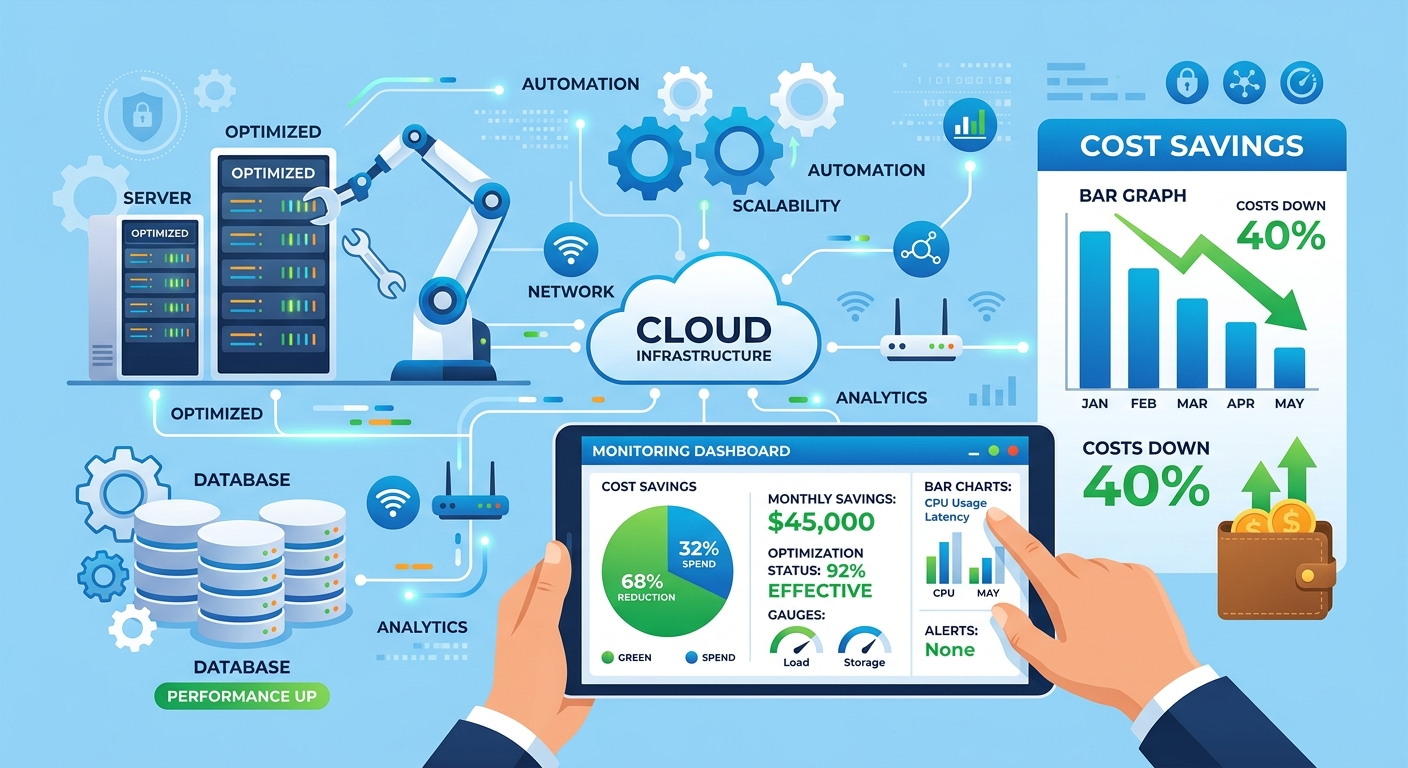
A visual representation of cloud cost optimization, with cloud infrastructure elements, cost graphs, and automation tools, symbolizing efficiency and financial control.

Many resource-constrained businesses fall into common cloud cost pitfalls:

  • Over-provisioning: Allocating more compute, storage, or database resources than actually needed, often based on peak assumptions rather than real-time usage.
  • Idle Resources: Forgetting to de-provision resources after testing, development, or project completion, leading to ‘zombie’ costs.
  • Lack of Visibility: Without proper tagging and monitoring, it’s hard to identify who or what is spending what, making accountability difficult.
  • Inefficient Architectures: Not designing applications with cost-efficiency in mind from the outset, leading to expensive data transfers, unnecessary database queries, or suboptimal storage choices.
  • Missed Discounts: Failing to leverage commitment-based discounts like Reserved Instances or Savings Plans.

Effective Cloud Cost Optimization isn’t just about cutting expenses; it’s about maximizing value, ensuring your cloud infrastructure supports your business objectives efficiently, and maintaining the agility that drew you to the cloud in the first place.

7 Essential Strategies for Effective Cloud Cost Optimization

Here are seven actionable strategies to help startups and SMEs take control of their cloud spending, balancing cost savings with performance and agility:

1. Rightsizing Instances and Services

One of the most immediate and impactful ways to reduce cloud costs is to ensure your resources are appropriately sized for their actual workloads. Over-provisioning is a common culprit for inflated bills.

  • Actionable Steps:
    • Monitor Usage: Utilize cloud provider tools like AWS CloudWatch or GCP Monitoring to track CPU, memory, network, and disk I/O utilization over time.
    • Identify Underutilized Resources: Look for instances or databases consistently running at low utilization (e.g., <20% CPU for extended periods).
    • Leverage Recommendations: AWS Compute Optimizer and GCP’s recommendations provide insights into potential rightsizing opportunities based on your usage patterns.
    • Adjust Accordingly: Downsize instances, reduce database capacities, or switch to more cost-effective service tiers.
  • Common Pitfalls:
    • Rightsizing based on insufficient data, leading to performance bottlenecks during peak times.
    • Not considering burstable instances (like AWS T-series or GCP E2-series) for workloads with fluctuating demands.

2. Leveraging Reserved Instances (RIs) and Savings Plans

Cloud providers offer significant discounts for committing to a certain level of usage over a 1-year or 3-year term. These are ideal for stable, predictable workloads.

  • Actionable Steps:
    • Analyze Baseline Usage: Determine your minimum, consistent usage for compute (EC2, Fargate, Lambda) and database services (RDS, DynamoDB).
    • Choose the Right Commitment:
      • Reserved Instances (RIs): Best for specific instance types or regional commitments.
      • Savings Plans: Offer more flexibility, applying discounts across various compute services based on an hourly spend commitment.
    • Start Small: For startups, consider 1-year commitments initially to maintain flexibility.
  • Common Pitfalls:
    • Over-committing to resources that may be deprecated or no longer needed, leading to wasted spend.
    • Not accounting for business growth or architectural changes that might render commitments obsolete.

3. Implementing Auto-Scaling and Serverless Architectures

Dynamic resource allocation ensures you only pay for what you use, when you use it. This is a cornerstone of cloud efficiency.

  • Actionable Steps:
    • Configure Auto-Scaling Groups: For fluctuating workloads, set up auto-scaling policies to automatically add or remove instances based on demand metrics (e.g., CPU utilization, request queue length).
    • Explore Serverless: For event-driven tasks, APIs, or batch processing, consider serverless options like AWS Lambda, GCP Cloud Functions, or Cloud Run. You pay only for execution time, not idle compute.
    • Design for Elasticity: Build applications that can scale horizontally and gracefully handle resource fluctuations.
  • Common Pitfalls:
    • Incorrectly configured auto-scaling policies leading to either over-provisioning or performance degradation.
    • Ignoring cold start latencies in serverless functions for latency-sensitive applications.

4. Optimizing Storage Costs

Storage can be a silent budget drain, especially as data volumes grow. Intelligent storage management is key.

  • Actionable Steps:
    • Categorize Data: Identify data access patterns (frequently accessed ‘hot’ data vs. rarely accessed ‘cold’ archival data).
    • Utilize Storage Classes: Move older, less frequently accessed data to cheaper storage classes (e.g., AWS S3 Infrequent Access, Glacier; GCP Coldline, Archive).
    • Implement Lifecycle Policies: Automate the transition of data between storage classes or its deletion after a defined period.
    • Delete Unnecessary Data: Regularly review and remove old backups, logs, or temporary files that are no longer needed.
  • Common Pitfalls:
    • Storing all data in expensive ‘standard’ storage, regardless of access frequency.
    • Not having a clear data retention policy.

5. Monitoring and Alerting for Cost Anomalies

Visibility is the first step towards control. Proactive monitoring helps catch unexpected cost spikes before they become major problems.

  • Actionable Steps:
    • Set Up Billing Alerts: Configure alerts in AWS Budgets or GCP Billing to notify you when spending approaches predefined thresholds.
    • Implement Resource Tagging: Tag all resources with relevant metadata (e.g., project, owner, environment). This allows for granular cost allocation and reporting.
    • Regularly Review Cost Reports: Use AWS Cost Explorer or GCP Billing Reports to analyze spending trends, identify cost drivers, and attribute costs to specific teams or projects.
    • Automate Cost Governance with n8n: Leverage workflow automation tools like n8n to proactively manage costs. For instance, an n8n workflow can:
      • Trigger an alert in Slack or email if a specific resource’s cost exceeds a daily limit.
      • Automatically shut down development or staging instances outside business hours based on tags.
      • Generate daily or weekly cost reports from billing data and distribute them to relevant stakeholders.
      • Initiate a review process for resources that have been idle for an extended period.
  • Common Pitfalls:
    • Lack of granular visibility due to inconsistent or absent tagging.
    • Being reactive to cost overruns rather than proactive.

6. Deleting Unused Resources and Snapshots

Orphaned resources are a significant source of waste. A regular cleanup routine is essential.

  • Actionable Steps:
    • Audit Regularly: Schedule periodic reviews to identify unattached EBS volumes, old snapshots, idle load balancers, unused IP addresses, or forgotten databases.
    • Automate Cleanup: For development/testing environments, consider automated scripts or n8n workflows to shut down or terminate resources after a specified idle period or at the end of a workday.
    • Review Old Backups: Ensure backup retention policies are appropriate and delete excessively old snapshots or AMIs.
  • Common Pitfalls:
    • Forgetting to de-provision resources after a project or experiment concludes.
    • Retaining multiple, redundant backups unnecessarily.

7. Implementing FinOps Principles and Culture

FinOps is an evolving operational framework that brings financial accountability to the variable spend model of the cloud. It fosters collaboration between finance, engineering, and operations teams.

  • Actionable Steps:
    • Foster Collaboration: Encourage regular communication and shared responsibility for cloud costs across teams.
    • Establish Ownership: Assign clear ownership for cloud resources and their associated costs.
    • Educate Teams: Train engineers and developers on cost-aware architecture and operational practices.
    • Regular Cost Reviews: Hold periodic meetings to review cloud spend, discuss optimization opportunities, and track progress against budget goals.
  • Common Pitfalls:
    • Treating cloud costs solely as an IT problem, rather than a shared business responsibility.
    • Lack of a clear framework for decision-making around cloud spending.

How Applizor Softech Can Help You Achieve Sustainable Cloud Savings

At Applizor Softech LLP, we understand the unique challenges startups and SMEs face in managing their cloud infrastructure. Our expertise spans across the entire cloud lifecycle, from initial architecture to ongoing optimization and management.

  • Strategic Cloud & DevOps Consulting: Our DevOps experts can help you design cost-efficient cloud architectures from the ground up, or optimize your existing setup on AWS and GCP. We focus on rightsizing, auto-scaling, and implementing best practices that align with your business goals.
  • Managed Cloud Services: We offer comprehensive managed services that include continuous monitoring, proactive optimization, and routine cleanup of unused resources, ensuring your cloud environment remains lean and efficient.
  • AI Automation & n8n Workflow Integration: Leveraging our proficiency in AI automation and n8n workflow automation, we can implement custom solutions for automated cost governance. This includes setting up intelligent alerts, automating resource shutdowns based on conditions, and generating actionable cost reports, as discussed in Strategy 5.
  • Custom Software Development: When building custom ERP/CRM/SaaS solutions or mobile apps, we prioritize cloud-native, cost-effective designs that are inherently optimized for performance and budget.

By partnering with Applizor, you gain not just a service provider, but a strategic ally committed to helping you achieve sustainable cloud cost optimization without compromising performance or future innovation.

Conclusion

Cloud Cost Optimization is an ongoing journey, not a one-time task. For startups and SMEs, mastering this discipline is critical for financial health and competitive advantage. By systematically applying these seven strategies – rightsizing, leveraging commitments, embracing elasticity, optimizing storage, vigilant monitoring, diligent cleanup, and fostering a FinOps culture – you can significantly reduce your cloud spend.

Remember, the goal is to optimize, not just minimize. It’s about getting the most value from your cloud investment, ensuring your infrastructure is agile, performant, and perfectly aligned with your business’s evolving needs. Take control of your cloud costs today and empower your business for sustainable growth.

Ai Supply Chain Automation: 7 Ultimate Strategies for Smes

Introduction: Navigating the Future of SME Supply Chains

For Small and Medium-sized Enterprises (SMEs), managing a supply chain can feel like a constant balancing act. From unpredictable demand and inventory bottlenecks to rising operational costs and complex logistics, the challenges are numerous. While large corporations pour resources into advanced technologies, many SMEs believe cutting-edge solutions like Artificial Intelligence (AI) are out of reach.

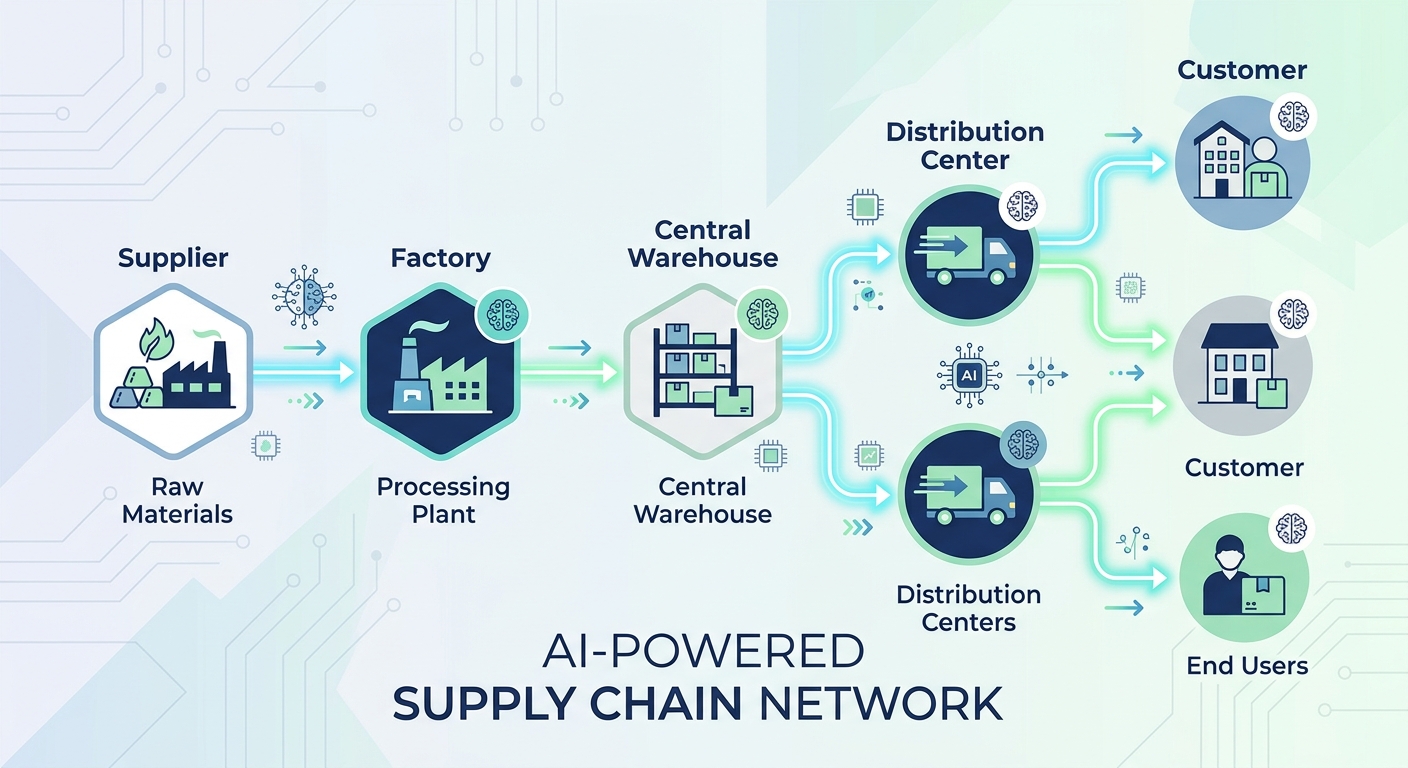
A modern flat vector illustration depicting an AI supply chain automation network with interconnected nodes for suppliers, warehouses, and customers.

This couldn’t be further from the truth. AI supply chain automation is no longer just for the enterprise giants. With the right strategies, SMEs can leverage AI to streamline operations, reduce costs, enhance resilience, and gain a competitive edge. This article provides a practical, step-by-step framework for SMEs to adopt AI automation in their supply chain, considering common constraints like budget and technical skill. We’ll explore seven ultimate strategies, highlighting how Applizor Softech LLP’s custom ERP, n8n automation, and AI agents can be integrated into your journey.

Why AI Supply Chain Automation is a Game-Changer for SMEs

The traditional, manual approach to supply chain management is prone to human error, slow decision-making, and limited visibility. For SMEs, these inefficiencies directly impact profitability and growth potential. AI offers a powerful alternative by:

  • Improving Forecast Accuracy: AI algorithms can analyze vast datasets (historical sales, market trends, weather, social media sentiment) to predict demand with greater precision, reducing overstocking and stockouts.
  • Optimizing Operations: From warehouse layouts to delivery routes, AI identifies the most efficient paths, cutting down on time and resources.
  • Enhancing Resilience: By identifying potential disruptions early, AI allows SMEs to pivot quickly, mitigating risks and ensuring business continuity.
  • Reducing Costs: Automation minimizes manual labor, optimizes inventory levels, and improves logistics efficiency, leading to significant cost savings.
  • Boosting Customer Satisfaction: Faster deliveries, fewer errors, and proactive communication lead to happier customers.

Common Challenges for SMEs in Adopting AI (and How to Overcome Them)

Before diving into strategies, let’s address the hurdles:

  • Budget Constraints: AI solutions don’t have to break the bank. Focus on modular, scalable solutions and start with pilot projects that offer clear ROI. Applizor specializes in AI automation solutions for small business, designed for cost-effectiveness.
  • Lack of Technical Expertise: You don’t need an in-house team of data scientists. Partnering with a software engineering firm like Applizor provides access to the necessary skills for implementation and ongoing support.
  • Data Availability and Quality: Many SMEs have fragmented data. The first step is often consolidating existing data, even if imperfect, and then improving its quality over time. Applizor’s custom ERP solutions can help centralize your data.
  • Fear of Complexity: Start simple. Focus on automating one critical pain point, demonstrate success, and then expand. AI is a journey, not a switch.

7 Ultimate Strategies for AI Supply Chain Automation in SMEs

1. Enhanced Demand Forecasting with AI

Strategy: Move beyond basic spreadsheets to leverage AI for more accurate predictions of customer demand, minimizing waste and maximizing sales opportunities.

How SMEs can implement:

  • Start with existing data: Begin by feeding your historical sales data, promotional calendars, and seasonal trends into an AI model.
  • Integrate external factors: As you scale, incorporate external data like local events, weather patterns, or economic indicators.

Applizor’s Edge: Our custom AI agents can be trained on your specific sales history and market data, integrating directly with your existing retail/POS billing or Applizor ERP to provide predictive insights. This allows even small businesses to benefit from sophisticated forecasting without needing complex infrastructure.

2. Optimized Inventory Management

Strategy: Use AI to determine optimal stock levels, automate reordering, and reduce carrying costs while preventing costly stockouts.

How SMEs can implement:

  • Categorize inventory: Identify fast-moving vs. slow-moving items to apply different AI-driven reorder rules.
  • Automate reorder points: Set up triggers based on predicted demand and lead times.

Applizor’s Edge: Our dedicated inventory management product, or a custom module within Applizor ERP, can integrate AI components. Furthermore, n8n workflow automation can connect your inventory system with suppliers, automatically generating purchase orders when stock levels hit predefined thresholds, based on AI-driven forecasts.

3. Automated Procurement and Supplier Management

Strategy: Streamline the purchasing process, from vendor selection and order placement to invoice processing, using AI and automation.

How SMEs can implement:

  • Automate repetitive tasks: Use rules-based automation for routine purchase orders.
  • AI for supplier evaluation: Over time, AI can help analyze supplier performance (delivery times, quality, pricing) to recommend optimal choices.

Applizor’s Edge: Applizor’s custom ERP and CRM solutions can centralize supplier data. n8n workflow automation can be configured to automate purchase order generation, send automated reminders, and even process invoices by integrating with accounting systems, significantly reducing manual effort and errors.

4. Predictive Maintenance for Logistics & Assets

Strategy: Employ AI to predict equipment failures and schedule maintenance proactively, minimizing downtime and extending asset lifespan.

How SMEs can implement:

  • Collect basic data: Start by tracking usage hours, fuel consumption, or simple sensor readings from key equipment (e.g., delivery vehicles, warehouse machinery).
  • Anomaly detection: AI can identify unusual patterns in this data that might indicate impending failure.

Applizor’s Edge: We can develop custom AI agents that monitor operational data from your machinery or fleet. Combined with n8n automation, these agents can trigger alerts to maintenance teams or schedule service appointments automatically when anomalies are detected, preventing costly breakdowns and ensuring smooth operations.

5. Streamlined Warehouse Operations with AI

Strategy: Optimize warehouse layouts, picking routes, and task assignments to improve efficiency and reduce operational costs.

How SMEs can implement:

  • Data-driven layout analysis: Use historical order data to identify frequently accessed items and optimize their placement.
  • AI-assisted task assignment: For smaller teams, AI can help assign picking tasks based on location and urgency.

Applizor’s Edge: Integrating with Applizor ERP, AI models can analyze inventory movement patterns to suggest optimal storage locations and picking paths. While full robotics might be a future step, even simple AI-driven insights can significantly improve manual or semi-automated warehouse processes.

6. Real-time Visibility and Anomaly Detection

Strategy: Gain end-to-end visibility into your supply chain and use AI to detect and alert you to potential issues before they escalate.

How SMEs can implement:

  • Centralize data: Consolidate data from various touchpoints (orders, shipments, inventory) into a single dashboard.
  • Set up alerts: Configure AI agents to monitor key metrics and notify you of deviations (e.g., delayed shipments, unexpected demand spikes).

Applizor’s Edge: Our custom software development services can build dashboards that provide real-time insights across your supply chain. Applizor’s AI agents can continuously monitor these data streams, identifying anomalies and triggering instant alerts via n8n automation to relevant stakeholders, allowing for proactive problem-solving.

7. Intelligent Customer Service & Communication

Strategy: Leverage AI to automate routine customer inquiries and provide instant, accurate information regarding order status, delivery, and product availability.

How SMEs can implement:

  • Implement a knowledge base: Create a searchable repository of common questions and answers.
  • Deploy simple chatbots/voice bots: Start with AI-powered bots that can answer FAQs and provide order updates.

Applizor’s Edge: Applizor offers RAG knowledge bases and voice bots that can be integrated with your customer service channels. These AI tools can provide instant, accurate responses to customer queries, freeing up your team for more complex issues and enhancing overall customer satisfaction.

Implementing AI in Your SME Supply Chain: A Step-by-Step Framework

Embracing AI in supply chain for small business doesn’t require a massive overhaul. Here’s a practical framework:

  1. Assess Current State & Identify Pain Points: Where are your biggest bottlenecks, inefficiencies, or cost drains? Start with one clear problem you want to solve.
  2. Start Small with a Pilot Project: Don’t try to automate everything at once. Pick one strategy (e.g., demand forecasting for a single product line, or automating purchase orders for one supplier) and focus on demonstrating its value.
  3. Leverage Existing Data: You likely have more data than you think. Start with your sales records, inventory logs, and supplier invoices. Data quality can improve over time.
  4. Choose Scalable, Modular Solutions: Opt for solutions that can grow with your business and integrate with your existing systems. Applizor’s custom software development ensures modularity and scalability.
  5. Partner for Expertise: Don’t go it alone. A partner like Applizor can provide the AI engineering, automation expertise, and cloud/DevOps support to implement and manage these solutions effectively.
  6. Train Your Team: AI is a tool. Ensure your employees understand its benefits and how to use the new systems. Change management is crucial.
  7. Iterate and Expand: Once your pilot is successful, learn from it, refine your approach, and then gradually expand AI automation to other areas of your supply chain.

Why Choose Applizor for Your AI Supply Chain Journey?

Applizor Softech LLP understands the unique challenges and opportunities for SMEs. We offer a comprehensive suite of services tailored to bring the power of AI to your supply chain:

  • Custom Software Development: We build bespoke ERP, CRM, and SaaS solutions that fit your exact needs, integrating AI components seamlessly.
  • AI Automation Expertise: From custom AI agents for predictive analytics to n8n workflow automation for connecting disparate systems, we design intelligent solutions that deliver tangible results.
  • Cloud & DevOps: We ensure your AI solutions are hosted on scalable, secure cloud infrastructure (AWS/GCP) with robust CI/CD pipelines for continuous improvement.
  • Holistic Approach: Beyond AI, we offer web and mobile app development, technical SEO, and digital growth strategies, ensuring your entire digital ecosystem supports your business goals.

With Applizor, you gain a partner committed to helping your SME achieve business automation and supply chain excellence.

Conclusion: Embrace the Future of Your Supply Chain

AI supply chain automation is no longer a luxury but a strategic imperative for SMEs looking to thrive in a dynamic global market. By adopting these seven strategies, focusing on low-cost entry points, and leveraging scalable solutions, you can transform your operations, reduce costs, and build a more resilient and responsive supply chain. The journey begins with a single step – identifying your biggest pain point and exploring how AI can offer a practical, impactful solution. Don’t let misconceptions hold you back; the future of efficient logistics is here, and it’s accessible to your SME.

FAQs on AI Supply Chain Automation for SMEs

Q1: Is AI supply chain automation too expensive for a small business?

A1: Not necessarily. Many AI solutions for SMEs focus on modularity and cloud-based services, offering lower upfront costs and pay-as-you-go models. Starting with a pilot project to automate one specific process can provide significant ROI, making further investment justifiable. Applizor focuses on scalable and cost-effective solutions for SMEs.

Q2: Do I need a lot of technical expertise to implement AI in my supply chain?

A2: While AI involves complex technology, you don’t need to be an expert in-house. Partnering with a specialized firm like Applizor provides you with access to the necessary AI engineering, data science, and automation expertise. We handle the technical implementation, allowing your team to focus on their core business.

Q3: What kind of data do I need for AI supply chain automation?

A3: You can start with your existing operational data: historical sales, inventory levels, order fulfillment times, supplier lead times, and shipping records. The more consistent and clean your data, the better. Even imperfect data can provide initial insights, and systems like Applizor ERP can help centralize and improve data quality over time.

Q4: How quickly can an SME see results from AI supply chain automation?

A4: The timeline varies depending on the complexity of the chosen strategy and the initial data readiness. However, by focusing on specific pain points with a pilot project (e.g., automating purchase orders or improving demand forecasting for a key product), SMEs can often see tangible benefits and ROI within a few months, demonstrating the value for further expansion.