
ESC
Type to start searching...
Applizor Softech Website Designing and Development

Document Management System

Applizor Softech

Document Management

Introduction to Document Management System

A Document Management System (DMS) is a software application that enables organizations to manage, store, and retrieve documents in a secure and efficient manner. In today’s digital age, Indian businesses are generating a vast amount of documents on a daily basis, making it challenging to manage and maintain them manually. A DMS helps to streamline business operations by reducing paperwork, increasing productivity, and improving document security.

Benefits of Document Management System

Implementing a DMS can bring numerous benefits to Indian businesses, including:

  • Improved document security: A DMS provides access controls, encryption, and backups to ensure that documents are protected from unauthorized access, theft, or loss.
  • Increased productivity: A DMS enables employees to quickly search, retrieve, and share documents, reducing the time spent on manual document management.
  • Reduced costs: A DMS helps to reduce the costs associated with printing, storing, and maintaining physical documents.
  • Enhanced collaboration: A DMS enables teams to collaborate on documents in real-time, improving communication and reducing errors.
  • Compliance: A DMS helps Indian businesses to comply with regulatory requirements, such as the Information Technology Act, 2000, and the Right to Information Act, 2005.

Key Features of a Document Management System

A comprehensive DMS should have the following key features:

  • Document capture and scanning: The ability to scan and capture documents in various formats, including paper, email, and digital files.
  • Document indexing and metadata: The ability to assign metadata, such as keywords, tags, and descriptions, to documents for easy search and retrieval.
  • Document storage and retrieval: The ability to store and retrieve documents in a secure and centralized repository.
  • Document search and filtering: The ability to search and filter documents based on metadata, keywords, and content.
  • Document sharing and collaboration: The ability to share and collaborate on documents in real-time, with access controls and versioning.

Implementing a Document Management System in Indian Businesses

Implementing a DMS in Indian businesses can be a straightforward process, involving the following steps:

  1. Assessing document management needs: Identifying the types of documents, storage requirements, and access controls needed.
  2. Choosing a DMS: Selecting a DMS that meets the organization’s needs, with features such as document capture, indexing, storage, search, and sharing.
  3. Configuring and customizing: Configuring and customizing the DMS to meet the organization’s specific requirements.
  4. Training and support: Providing training and support to employees on the use of the DMS.
  5. Monitoring and maintenance: Regularly monitoring and maintaining the DMS to ensure optimal performance and security.

Frequently Asked Questions

Q: What is a Document Management System?

A Document Management System (DMS) is a software application that enables organizations to manage, store, and retrieve documents in a secure and efficient manner.

Q: What are the benefits of using a Document Management System?

The benefits of using a DMS include improved document security, increased productivity, reduced costs, enhanced collaboration, and compliance with regulatory requirements.

Q: How do I choose a Document Management System for my Indian business?

Choosing a DMS involves assessing your document management needs, selecting a DMS that meets your needs, configuring and customizing the DMS, providing training and support to employees, and regularly monitoring and maintaining the DMS.

Q: Can a Document Management System be integrated with other business applications?

Yes, a DMS can be integrated with other business applications, such as enterprise resource planning (ERP), customer relationship management (CRM), and accounting software, to provide a seamless and integrated document management experience.

Q: Is a Document Management System secure?

Yes, a DMS provides access controls, encryption, and backups to ensure that documents are protected from unauthorized access, theft, or loss.

Conclusion

In conclusion, a Document Management System is an essential tool for Indian businesses to streamline their operations, improve document security, and increase productivity. By implementing a DMS, businesses can reduce paperwork, enhance collaboration, and comply with regulatory requirements. If you are looking to implement a DMS in your Indian business, contact us today to learn more about our Document Management System and how it can benefit your organization.

Call to Action: Contact us at +91-xxxxxxxxxxx or email us at info@example.com to schedule a demo and take the first step towards streamlining your business operations with our Document Management System.

Retail Billing Software

Applizor Softech

Retail Billing Software

Introduction to Retail Billing Software

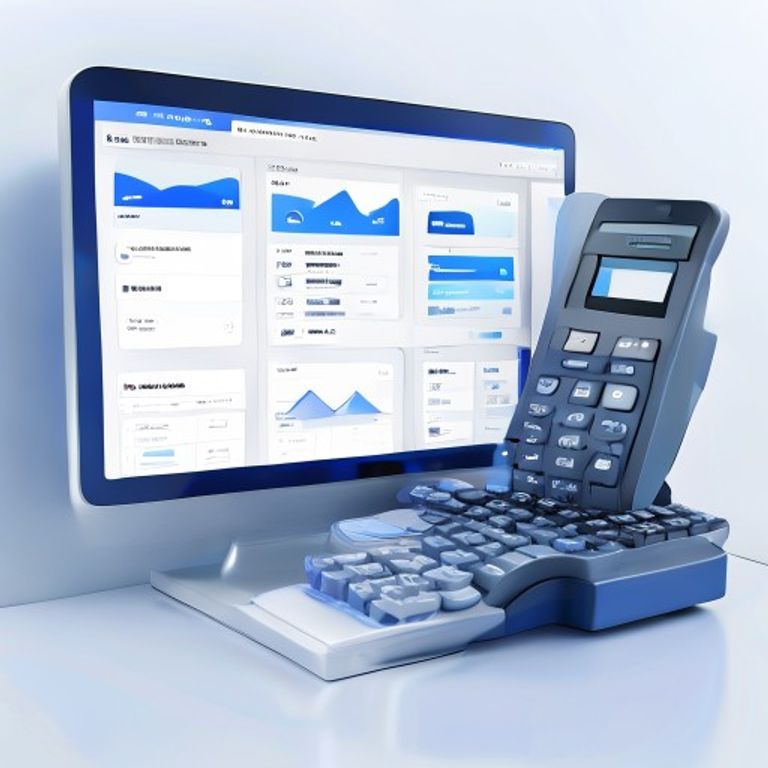
Retail billing software is a comprehensive solution designed to simplify and streamline retail operations, including invoice billing, inventory management, and point of sale transactions. In today’s competitive retail landscape, it is essential to have a robust and efficient billing system in place to improve overall business efficiency and customer satisfaction.

Benefits of Retail Billing Software

The benefits of retail billing software are numerous. It helps to automate manual processes, reduce errors, and increase productivity. With a good retail billing software, you can easily manage your inventory, track sales, and generate invoices with ease and accuracy. This, in turn, helps to improve customer satisfaction, reduce wait times, and increase sales.

Key Features of Retail Billing Software

A good retail billing software should have the following key features:

  • Easy to use and navigate interface
  • Automated invoice billing and payment processing
  • Inventory management and tracking
  • Point of sale transactions and sales tracking
  • Customizable reports and analytics
  • Integration with other business systems, such as accounting and CRM software

How Retail Billing Software Works

Retail billing software works by automating the billing process, from generating invoices to processing payments. It also helps to manage inventory, track sales, and analyze customer behavior. With a cloud-based retail billing software, you can access your data from anywhere, at any time, and make informed decisions to grow your business.

Practical Examples of Retail Billing Software

Let’s consider a few practical examples of how retail billing software can benefit your business. For instance, a retail store can use the software to manage its inventory, track sales, and generate invoices quickly and accurately. A restaurant can use the software to manage its point of sale transactions, track orders, and process payments efficiently. A pharmacy can use the software to manage its inventory, track prescriptions, and generate invoices with ease.

Frequently Asked Questions

Q: What is retail billing software?

Retail billing software is a comprehensive solution designed to simplify and streamline retail operations, including invoice billing, inventory management, and point of sale transactions.

Q: How does retail billing software work?

Retail billing software works by automating the billing process, from generating invoices to processing payments. It also helps to manage inventory, track sales, and analyze customer behavior.

Q: What are the benefits of using retail billing software?

The benefits of using retail billing software include automated manual processes, reduced errors, and increased productivity. It also helps to improve customer satisfaction, reduce wait times, and increase sales.

Q: Can retail billing software be customized to meet my business needs?

Yes, retail billing software can be customized to meet your business needs. It can be integrated with other business systems, such as accounting and CRM software, and can be tailored to meet the specific requirements of your business.

Q: Is retail billing software secure?

Yes, retail billing software is secure. It uses advanced security measures, such as encryption and firewalls, to protect your data and prevent unauthorized access.

Conclusion

In conclusion, retail billing software is a must-have for any retail business that wants to streamline its operations, improve efficiency, and increase customer satisfaction. With its automated billing process, inventory management, and point of sale transactions, retail billing software can help you to grow your business and stay ahead of the competition. If you are looking for a reliable and efficient retail billing software, contact us today to learn more about our comprehensive solution and how it can benefit your business.

Call to action: Contact us today to schedule a demo and see how our retail billing software can help you to streamline your retail operations and grow your business.

Boost Sales with CRM

Applizor Softech

Boost Sales with CRM

Introduction to CRM Software

In today’s competitive business landscape, building strong customer relationships is crucial for driving sales, revenue, and growth. One effective way to achieve this is by leveraging Customer Relationship Management (CRM) software. CRM software is a powerful tool that helps businesses streamline their sales, marketing, and customer service operations, enabling them to provide exceptional customer experiences and stay ahead of the competition.

What is CRM Software?

CRM software is a digital platform that allows businesses to manage and analyze customer interactions, preferences, and behaviors. It provides a centralized database to store customer information, track interactions, and analyze data to identify trends and patterns. With CRM software, businesses can automate routine tasks, enhance collaboration among teams, and make data-driven decisions to drive growth.

Benefits of CRM Software

The benefits of CRM software are numerous. Some of the key advantages include:

  • Improved customer relationships: CRM software helps businesses understand their customers better, enabling them to provide personalized experiences and build strong relationships.
  • Enhanced sales performance: CRM software provides sales teams with valuable insights and tools to close deals faster and more efficiently.
  • Increased productivity: CRM software automates routine tasks, freeing up time for teams to focus on high-value activities.
  • Data-driven decision making: CRM software provides businesses with accurate and timely data, enabling them to make informed decisions.
  • Competitive advantage: CRM software helps businesses stay ahead of the competition by providing a 360-degree view of customers and enabling them to respond quickly to changing market conditions.

How CRM Software Works

CRM software typically includes a range of features and functionalities, such as contact management, lead management, opportunity management, and sales forecasting. It also provides tools for marketing automation, customer service, and social media integration. By integrating these features, businesses can create a seamless customer experience across all touchpoints and channels.

Types of CRM Software

There are several types of CRM software available, including:

  • On-premise CRM: This type of CRM software is installed on a business’s own servers and requires significant upfront investment.
  • Cloud-based CRM: This type of CRM software is hosted in the cloud and provides businesses with flexibility, scalability, and cost savings.
  • Mobile CRM: This type of CRM software is designed for mobile devices and enables sales teams to access customer information and perform tasks on the go.

Choosing the Right CRM Software

With so many CRM software options available, choosing the right one can be daunting. Businesses should consider factors such as their specific needs, budget, and scalability requirements. They should also evaluate the software’s ease of use, customization options, and integration with existing systems.

Real-Life Examples of CRM Software in Action

Many businesses in India have successfully implemented CRM software to drive growth and improve customer relationships. For example, a leading e-commerce company used CRM software to personalize customer experiences and increase sales by 25%. A financial services firm used CRM software to streamline its sales and marketing operations, resulting in a 30% increase in productivity.

Frequently Asked Questions

FAQs

Here are some frequently asked questions about CRM software:

  1. What is the cost of CRM software?
    The cost of CRM software varies depending on the vendor, features, and number of users. On average, businesses can expect to pay between Rs. 500 to Rs. 5,000 per user per month.
  2. Is CRM software easy to use?
    Most CRM software is designed to be user-friendly and intuitive. However, the ease of use can vary depending on the vendor and the specific features and functionalities.
  3. Can CRM software be customized?
    Yes, most CRM software can be customized to meet the specific needs of a business. This can include custom fields, workflows, and integrations with existing systems.
  4. Is CRM software secure?
    Yes, most CRM software is designed with security in mind. This includes features such as data encryption, access controls, and regular backups.
  5. How long does it take to implement CRM software?
    The implementation time for CRM software can vary depending on the complexity of the project and the size of the business. On average, businesses can expect to spend between 2-6 months implementing CRM software.

Conclusion

In conclusion, CRM software is a powerful tool that can help businesses in India drive growth, improve customer relationships, and stay ahead of the competition. By understanding the benefits, types, and features of CRM software, businesses can make informed decisions and choose the right solution for their needs. If you’re looking to boost sales and revenue, consider implementing CRM software today. Contact us to learn more about our CRM software solutions and how we can help your business succeed.

Boost Sales with CRM

Applizor Softech

Boost Sales with CRM

Introduction to CRM Software

In today’s competitive business landscape, it’s crucial for B2B companies in India to stay ahead of the curve by leveraging the latest technologies. One such technology that has revolutionized the way businesses operate is Customer Relationship Management (CRM) software. In this blog post, we’ll explore how our CRM software can help you streamline sales, marketing, and customer service processes, and boost revenue for your B2B business.

What is CRM Software?

CRM software is a cloud-based solution that enables businesses to manage their customer interactions, sales, and marketing efforts in a centralized and organized manner. It provides a 360-degree view of customer data, allowing businesses to make informed decisions and deliver personalized experiences to their customers.

Benefits of Using CRM Software

Our CRM software offers a range of benefits, including:

  • Streamlined sales processes: Automate sales tasks, track leads, and analyze sales performance to boost revenue.
  • Enhanced customer experiences: Deliver personalized experiences to your customers through targeted marketing campaigns and effective customer service.
  • Improved collaboration: Enable seamless collaboration between sales, marketing, and customer service teams to ensure everyone is on the same page.
  • Data-driven decision making: Make informed decisions using real-time data and analytics to optimize your business operations.

How Our CRM Software Can Help Your B2B Business

Our CRM software is designed to help B2B businesses in India overcome common challenges such as lead generation, sales conversion, and customer retention. With our cloud-based solution, you can:

  • Automate lead generation and qualification to reduce manual effort and increase sales productivity.
  • Track customer interactions and behavior to deliver targeted marketing campaigns and improve customer engagement.
  • Analyze sales performance and customer data to identify areas of improvement and optimize your sales strategy.

Real-Life Examples of CRM Software in Action

Let’s take a look at some real-life examples of how our CRM software has helped B2B businesses in India:

  • A leading IT services company used our CRM software to automate their lead generation and qualification process, resulting in a 25% increase in sales conversions.
  • A manufacturing company used our CRM software to deliver targeted marketing campaigns to their customers, resulting in a 30% increase in customer engagement and a 20% increase in sales revenue.

Frequently Asked Questions

Here are some frequently asked questions about our CRM software:

  1. What is the cost of implementing CRM software?
    Our CRM software is a cloud-based solution that offers a flexible pricing plan to suit your business needs. The cost of implementation varies depending on the number of users, features, and customization requirements.
  2. How long does it take to implement CRM software?
    The implementation time for our CRM software varies depending on the complexity of the project and the number of users. On average, it takes around 2-6 weeks to implement our CRM software.
  3. What kind of support does your company offer?
    We offer 24/7 technical support to our customers, including online training, phone support, and email support. Our dedicated support team is always available to help you with any questions or issues you may have.
  4. Is your CRM software customizable?
    Yes, our CRM software is highly customizable to meet your business needs. We offer a range of customization options, including workflow automation, custom fields, and integrations with third-party applications.
  5. How secure is your CRM software?
    Our CRM software is highly secure and compliant with industry standards. We use advanced security measures such as encryption, firewalls, and access controls to protect your customer data.

Conclusion

In conclusion, our CRM software is a powerful tool that can help B2B businesses in India streamline sales, marketing, and customer service processes, and boost revenue. With its range of features and benefits, our CRM software is an ideal solution for businesses looking to stay ahead of the competition. If you’re interested in learning more about our CRM software, please don’t hesitate to contact us. Our team of experts will be happy to provide you with a personalized demo and answer any questions you may have.

Ready to take your business to the next level? Contact us today to learn more about our CRM software and how it can help your business succeed.

School Management Software

Applizor Softech

School Management Software

Introduction to School Management Software

In today’s digital age, schools in India are looking for ways to streamline their operations and improve efficiency. One of the most effective ways to achieve this is by implementing a school management software. This comprehensive solution helps schools manage their daily activities, from student and teacher management to fees and accounting, admission, and more.

What is School Management Software?

School management software is a web-based application designed to simplify educational administration. It provides a centralized platform for schools to manage their operations, including student information, teacher data, attendance, grades, and more. The software helps reduce manual errors, increases productivity, and enhances communication between teachers, students, and parents.

Key Features of School Management Software

A comprehensive school management software should have the following features:

  • Student Management: Manage student information, including admission, attendance, and grades.
  • Teacher Management: Manage teacher data, including attendance, salary, and performance evaluation.
  • Fees Management: Manage fee collection, including online payment options and automatic reminders.
  • Admission Management: Manage the admission process, including online application and enrollment.
  • Accounting and Finance: Manage school finances, including budgeting, accounting, and reporting.

Benefits of School Management Software

The benefits of implementing a school management software are numerous. Some of the key advantages include:

  • Improved Efficiency: Automate manual tasks and reduce errors.
  • Enhanced Communication: Improve communication between teachers, students, and parents.
  • Increased Productivity: Streamline operations and reduce workload.
  • Better Decision-Making: Get real-time insights and data-driven reports.
  • Cost Savings: Reduce costs associated with manual processes and paperwork.

How School Management Software Can Help Indian Schools

Indian schools can benefit greatly from implementing a school management software. With the increasing number of schools in the country, it is essential to have a system in place that can manage daily operations efficiently. The software can help Indian schools in the following ways:

  • Manage large student populations: Indian schools have a large number of students, and managing their data can be a challenging task. School management software can help simplify this process.
  • Improve parent-teacher communication: The software can facilitate communication between parents and teachers, ensuring that parents are always informed about their child’s progress.
  • Streamline fees management: The software can manage fee collection, including online payment options and automatic reminders, reducing the workload of school administrators.

Frequently Asked Questions

Q: What is the cost of implementing a school management software?

A: The cost of implementing a school management software varies depending on the features and the size of the school. However, the cost is relatively low compared to the benefits it provides.

Q: Is the software easy to use?

A: Yes, the software is user-friendly and easy to navigate. It requires minimal training, and school administrators can start using it immediately.

Q: Can the software be customized to meet the specific needs of our school?

A: Yes, the software can be customized to meet the specific needs of your school. Our team will work with you to understand your requirements and provide a tailored solution.

Q: How secure is the software?

A: The software is highly secure and ensures that all data is protected. We use the latest security measures, including encryption and firewalls, to prevent unauthorized access.

Q: What kind of support does the software provide?

A: We provide comprehensive support, including training, maintenance, and troubleshooting. Our team is available 24/7 to assist you with any issues you may have.

Conclusion

In conclusion, school management software is a must-have for Indian schools looking to streamline their operations and improve efficiency. With its comprehensive features and benefits, it can help schools manage their daily activities, reduce errors, and enhance communication between teachers, students, and parents. If you are looking for a reliable and efficient school management software, contact us today to learn more about our solution and how it can benefit your school.

Take the first step towards streamlining your school’s operations and improving student outcomes. Contact us now to schedule a demo and experience the power of our school management software.

POS Billing Software

Applizor Softech

POS Billing Software

Introduction to POS Billing Software

In today’s fast-paced retail and restaurant industry, managing sales, inventory, and billing can be a daunting task. With the increasing demand for efficient and streamlined operations, businesses are looking for ways to simplify their processes and improve customer satisfaction. This is where POS billing software comes into play. In this article, we will explore the benefits and features of POS billing software and how it can help Indian businesses thrive.

What is POS Billing Software?

POS billing software, also known as point of sale software, is a digital solution designed to manage sales, inventory, and billing processes for retail and restaurant businesses. It is an all-in-one system that enables businesses to track sales, manage inventory, and generate bills efficiently. With a user-friendly interface and advanced features, POS billing software has become an essential tool for businesses looking to streamline their operations and improve customer experience.

Benefits of POS Billing Software

The benefits of using POS billing software are numerous. Some of the key advantages include:

  • Improved efficiency: POS billing software automates sales, inventory, and billing processes, reducing manual errors and increasing efficiency.
  • Enhanced customer experience: With a fast and accurate billing system, customers can enjoy a seamless shopping experience, leading to increased satisfaction and loyalty.
  • Real-time inventory management: POS billing software enables businesses to track inventory levels in real-time, reducing stockouts and overstocking.
  • Data analysis: The software provides valuable insights into sales trends, customer behavior, and inventory levels, enabling businesses to make informed decisions.
  • Cost savings: By reducing manual errors and increasing efficiency, businesses can save time and money.

Features of POS Billing Software

A good POS billing software should have the following features:

  • Easy-to-use interface: The software should be user-friendly and easy to navigate, even for those with limited technical expertise.
  • Inventory management: The software should be able to track inventory levels, monitor stock levels, and alert businesses to low stock levels.
  • Sales management: The software should be able to manage sales, including tracking sales history, generating invoices, and processing payments.
  • Billing and invoicing: The software should be able to generate accurate and detailed bills and invoices, reducing errors and disputes.
  • Reporting and analytics: The software should provide valuable insights into sales trends, customer behavior, and inventory levels, enabling businesses to make informed decisions.

How to Choose the Right POS Billing Software

With so many POS billing software options available in the market, choosing the right one can be overwhelming. Here are some tips to help businesses make an informed decision:

  • Assess business needs: Identify the specific needs of the business, including the type of industry, number of locations, and required features.
  • Research options: Research different POS billing software options, including their features, pricing, and customer reviews.
  • Read reviews: Read reviews from existing customers to get an idea of the software’s performance, ease of use, and customer support.
  • Request a demo: Request a demo or free trial to test the software and see if it meets the business’s needs.

Frequently Asked Questions

FAQs

Here are some frequently asked questions about POS billing software:

  1. What is the cost of POS billing software?
    The cost of POS billing software varies depending on the provider, features, and number of users. Some providers offer a monthly subscription model, while others offer a one-time licensing fee.
  2. Is POS billing software easy to use?
    Yes, most POS billing software options are designed to be user-friendly and easy to navigate, even for those with limited technical expertise.
  3. Can I customize the software to meet my business needs?
    Yes, many POS billing software options offer customization options to meet the specific needs of the business.
  4. Is my data secure with POS billing software?
    Yes, most POS billing software options have robust security measures in place to protect business data, including encryption, firewalls, and secure servers.
  5. Can I integrate POS billing software with other systems?
    Yes, many POS billing software options offer integration with other systems, including accounting software, inventory management software, and customer relationship management software.

Conclusion

In conclusion, POS billing software is a must-have for retail and restaurant businesses in India looking to streamline their operations and improve customer satisfaction. With its advanced features, user-friendly interface, and cost savings, POS billing software can help businesses thrive in a competitive market. If you’re looking for a reliable and efficient POS billing software solution, contact us today to schedule a free demo and take the first step towards transforming your business.