
Enterprise data platforms running on bare-metal servers or aging virtual machines frequently present severe operational bottlenecks. Monolithic databases—whether based on commercial engines like Oracle and Microsoft SQL Server or self-managed open-source instances like MySQL and PostgreSQL—suffer from escalating licensing costs, compute ceilings, and brittle failover mechanisms. Moving these mission-critical storage engines to cloud-native platforms on Amazon Web Services (AWS) or Google Cloud Platform (GCP) resolves infrastructure rigidity and enables automated scaling.
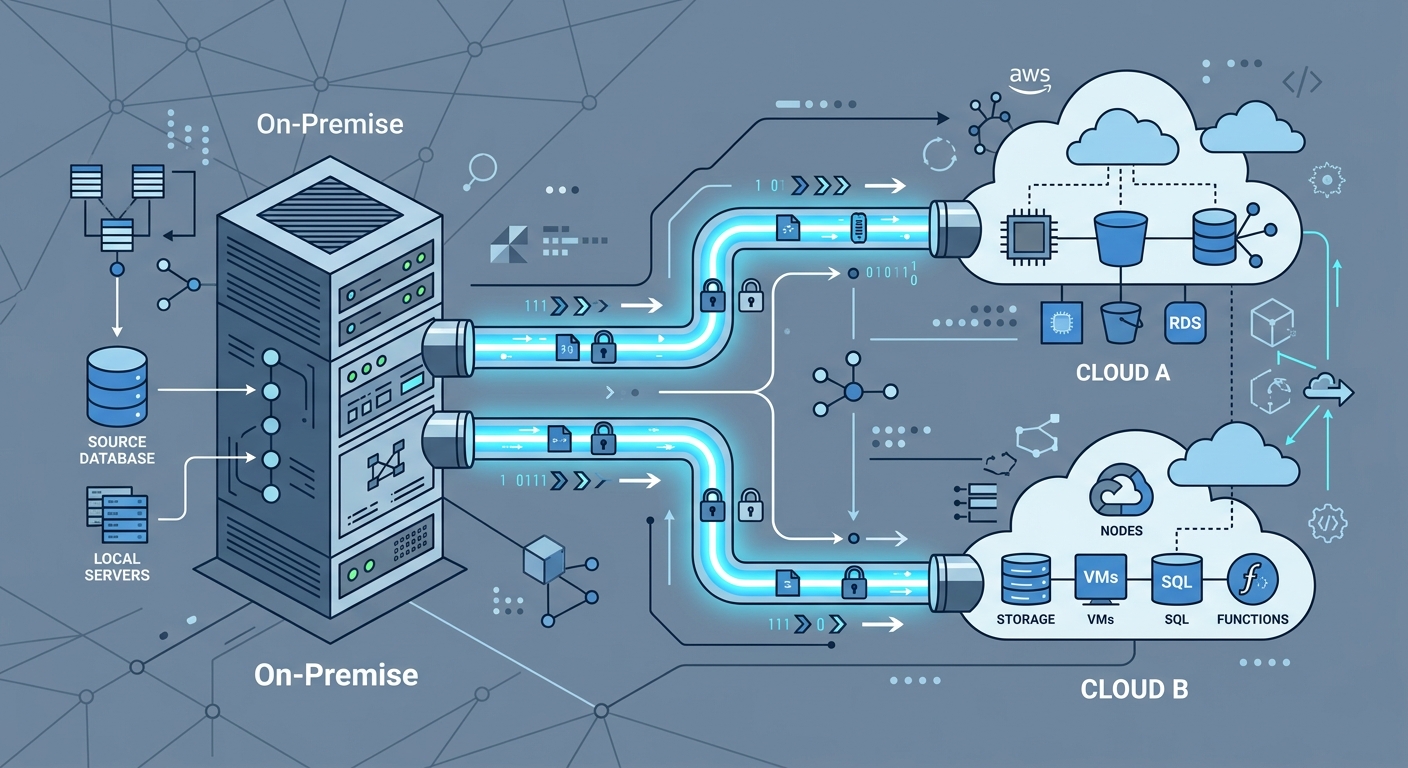
However, migrating a system of record that processes live transactions cannot be treated as a simple export-and-import routine. A successful legacy database migration requires careful schema translation, disciplined network management, rigorous data integrity verification, and a zero-downtime cutover plan. Whether your organization is formulating a legacy database cloud transition plan for AWS Aurora, Google Cloud SQL, or managed NoSQL engines, following a structured architectural blueprint prevents extended maintenance windows and data loss.
AWS vs GCP Database Migration Strategy: Core Platform Differences
Choosing between AWS and GCP for your database modernization depends on your target data architecture, current operational toolchain, and downstream analytics priorities. Both cloud providers offer fully managed relational engines, distributed multi-region databases, and schema conversion utilities, but their underlying architectures emphasize different operational strengths.
| Feature / Capability | Amazon Web Services (AWS) | Google Cloud Platform (GCP) |
|---|---|---|
| Flagship Managed Relational Engine | Amazon Aurora (MySQL / PostgreSQL compatible) with decoupled storage and compute. | Cloud SQL (MySQL, PostgreSQL, SQL Server) and AlloyDB for PostgreSQL. |
| Globally Distributed Relational | Amazon Aurora Global Database (storage-level replication). | Google Cloud Spanner (external consistency with TrueTime API). |
| Native Migration Services | AWS Database Migration Service (AWS DMS) and Schema Conversion Tool (SCT). | Google Cloud Database Migration Service (DMS) and Datastream. |
| Schema Refactoring Tools | AWS SCT automated rule-based action items and reporting. | Integrated Gemini-assisted and open-source migration extensions. |
| Network Ingress Costs | Free ingress over public internet, Direct Connect, or VPN. | Free ingress over public internet, Cloud Interconnect, or VPN. |
When executing an AWS vs GCP database migration strategy, AWS provides deep tooling maturity for heterogeneous relational conversions (such as converting Oracle PL/SQL to Aurora PostgreSQL). In contrast, GCP offers distinct advantages in horizontal scalability through Cloud Spanner and unified analytical handoffs into BigQuery.
Legacy Database Migration: 7 Technical Steps to AWS and GCP
To safely execute a migration without disrupting active business operations, engineering teams must follow seven disciplined stages from discovery through post-cutover validation.
Step 1: Workload Profiling and Cloud Target Selection
Before moving any records, conduct a comprehensive audit of your source database. This includes mapping transactions per second (TPS), peak I/O operations per second (IOPS), storage growth rates, dependency graphs, and stored procedure complexity. At this stage, determine whether the workload requires a homogeneous migration (retaining the same database engine) or a heterogeneous migration (switching engines, such as moving from proprietary commercial engines to open-source managed equivalents).
If you are re-architecting your underlying services alongside the database layer, coordinating with our custom software development services ensures that your API tiers and domain models align cleanly with cloud-native persistence patterns.
Step 2: Schema Assessment and Heterogeneous Translation
In homogeneous migrations, schema replication is straightforward through native logical export utilities (such as pg_dump or mysqldump). Heterogeneous migrations, however, require rewriting proprietary data types, triggers, sequences, and stored procedures into ANSI-compliant syntax or cloud-specific paradigms.
For teams evaluating how to migrate legacy database to aws gcp architectures, use dedicated tooling to isolate manual refactoring tasks:
- AWS Schema Conversion Tool (SCT): Automatically generates an assessment report highlighting unsupported data types, spatial extensions, and complex triggers while translating standard views and tables. Review technical guidelines on AWS Documentation.
- GCP Database Migration Service: Manages initial schema conversion and ongoing replication for supported homogeneous pairings, while third-party tools assist in converting complex relational schemas to services like Cloud Spanner. Detailed implementation requirements can be reviewed on Google Cloud Documentation.
Step 3: Transfer Cost Modeling and Network Topology
Data egress and dedicated connectivity represent critical cost variables during migration. While cloud providers do not charge for incoming data transfer (ingress) over standard network interfaces, cost structures vary once private connections and replication agents are configured.
Evaluate these cost factors during the data transfer phase:
- Dedicated Network Lines: AWS Direct Connect and Google Cloud Interconnect both require port-hour fees alongside variable outbound transfer rates if bi-directional validation is enabled.
- Replication Compute Instances: AWS DMS requires provisioning replication instances (e.g.,
dms.c5ordms.r5instance classes), billed hourly based on compute allocation. Google Cloud DMS operates primarily on serverless compute for homogeneous tasks, charging based on provisioned destination resources and networking egress. - Storage Overhead: Staging backups in intermediate object storage (such as Amazon S3 or Google Cloud Storage) incurs standard storage and retrieval fees before loading into the managed database.
Step 4: Initial Bulk Data Hydration (Baseline Copy)
Transferring multi-terabyte monolithic databases over standard networks can saturate bandwidth and take days to complete. Split data transfer into an initial bulk hydration phase followed by real-time synchronization. For multi-terabyte datasets where available bandwidth is restricted, physical appliance transfers (such as AWS Snowball or Google Cloud Transfer Appliance) allow secure offline physical transport. For environments with robust direct connections, extract point-in-time consistent snapshots and stream them directly to target storage.
Step 5: Continuous Change Data Capture (CDC) Synchronization
Because your legacy database continues processing reads and writes during the transfer, you must establish an ongoing synchronization pipeline. Change Data Capture (CDC) streams transactions from source database binary/transaction logs (e.g., Oracle Redo Logs, SQL Server Transaction Logs, or MySQL Binlogs) to the target database.
This configuration keeps the target cloud database within milliseconds of the source production system. Engineers using modern cloud ecosystems can leverage the stack outlined in our cloud and DevOps infrastructure stack to monitor CDC latency, memory consumption, and replication delays continuously.
Step 6: Zero-Downtime Cutover Execution
The cutover represents the highest-risk phase of any database transition. A zero-downtime cutover requires deliberate operational sequencing rather than a sudden network switch:
- Lower DNS TTL: Reduce the Time to Live (TTL) on database endpoints and dependent microservice domains to 60 seconds at least 48 hours before cutover.
- Drain Connection Pools: Temporarily set the application tier into a brief transaction-quiesced or read-only mode to flush all pending in-flight transactions.
- Verify CDC Zero-Lag: Confirm that replication lag between the source and the cloud target has reached zero records.
- Establish Reverse CDC: Reconfigure the replication pipeline to capture changes on the cloud target and stream them back to the legacy database. This ensures that any data written to the new system is mirrored to the legacy system if an emergency abort occurs.
- Promote Cloud Instance and Re-route Traffic: Point application connection strings to the new cloud endpoint and reopen full write traffic.
Step 7: Post-Cutover Validation and Risk Mitigation Rollback
Once live traffic routes to the cloud target, operational teams must monitor performance, transaction commit times, and replication queues. Even thoroughly tested migrations can uncover unexpected edge cases, making a formalized rollback checklist critical.
Risk Mitigation Checklist for Hybrid-Cloud Rollback
Never initiate a cutover without an automated, documented rollback mechanism. If an unrecoverable failure occurs within the target database engine, execute this containment checklist:
- Operational Reverse Replication: Verify that reverse CDC (Target to Legacy Source) is active and processing writes before the cutover maintenance window closes.
- Automated Data Parity Verification: Run background checksum comparisons (such as cryptographic table hash samples) to detect data divergence or primary key collision immediately.
- Centralized Configuration Flags: Maintain dynamic service discovery or environment variable flags in your orchestration layer to redirect database connection strings back to legacy endpoints without redeploying code.
- Split-Brain Prevention: In the event of an abort, immediately terminate all write access to the cloud database before reactivating legacy write permissions, ensuring transactions are never simultaneously accepted in both systems.
Frequently Asked Questions
What causes CDC synchronization lag during database migration?
Replication lag typically occurs when the legacy source generates transaction logs faster than the replication compute instance can read, parse, and apply them to the target. Primary causes include network bandwidth constraints, unindexed foreign keys on target tables, write throttling on destination cloud storage, or heavy batch-processing jobs running on the source database during replication.
How should non-relational or document data models be migrated to cloud databases?
When migrating non-relational databases (such as self-hosted MongoDB or Couchbase) to managed cloud services (such as AWS DynamoDB or GCP Cloud Bigtable/Firestore), schemas must be redesigned around access patterns rather than normalized entities. This requires defining composite partition keys, sorting strategies, and secondary indexes to handle queries without incurring full table scans.
When is a cutover considered successful enough to decommission the legacy database?
A legacy database should remain in standby with active reverse synchronization for at least one full business cycle (typically 7 to 30 days, depending on monthly financial reporting or regulatory workloads). Decommissioning should only begin once all scheduled batch jobs, analytical pipelines, and downstream audit tools run reliably against the cloud target without discrepancy.